September 5, 2024
iBroadcast version 8.8 is now available for both iOS and Android! This update features a more streamlined design to make browsing your music easier and more intuitive. Here's a quick rundown of what's new.
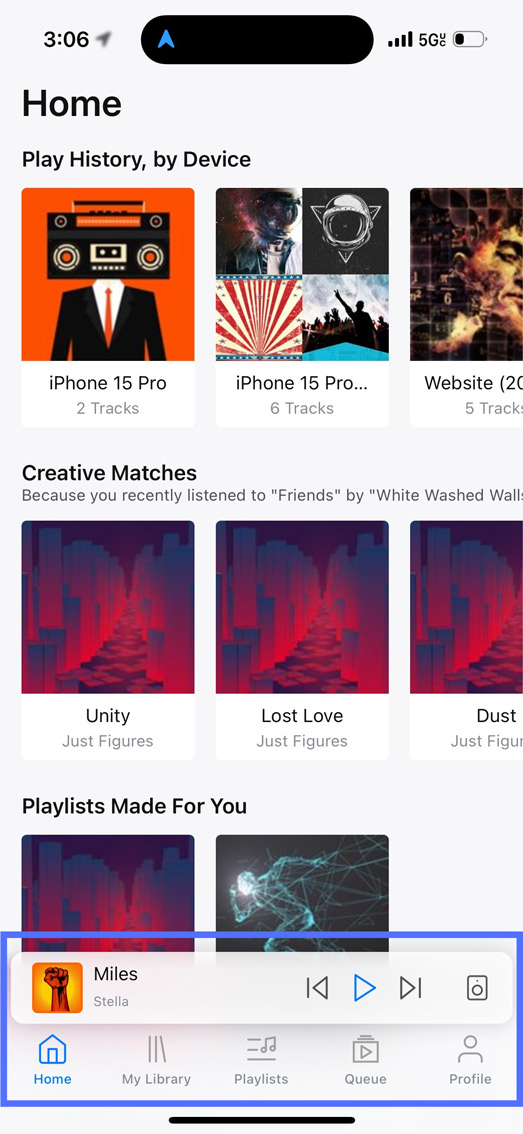
1. Updated navigation bar and mini player. The navigation bar and mini player feature a sleeker, more modern design. Icons in the nav bar are now labeled, and the tabs have been reorganized slightly -- My Library has been combined with Search, and Playlists now has its own dedicated tab.
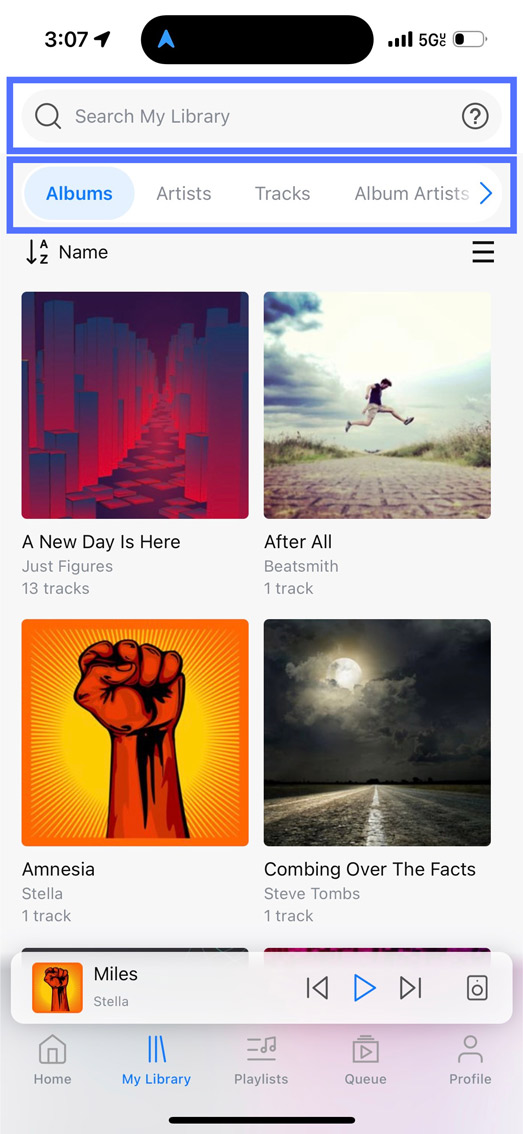
2. Unified Search and Library Tab. My Library now has a search bar at the top, plus several sorting and filtering options that you can use to drill down and find your music more easily. Under the search bar, you can filter by Album, Artist, Track, Genre, Tag, Date Uploaded, and more.
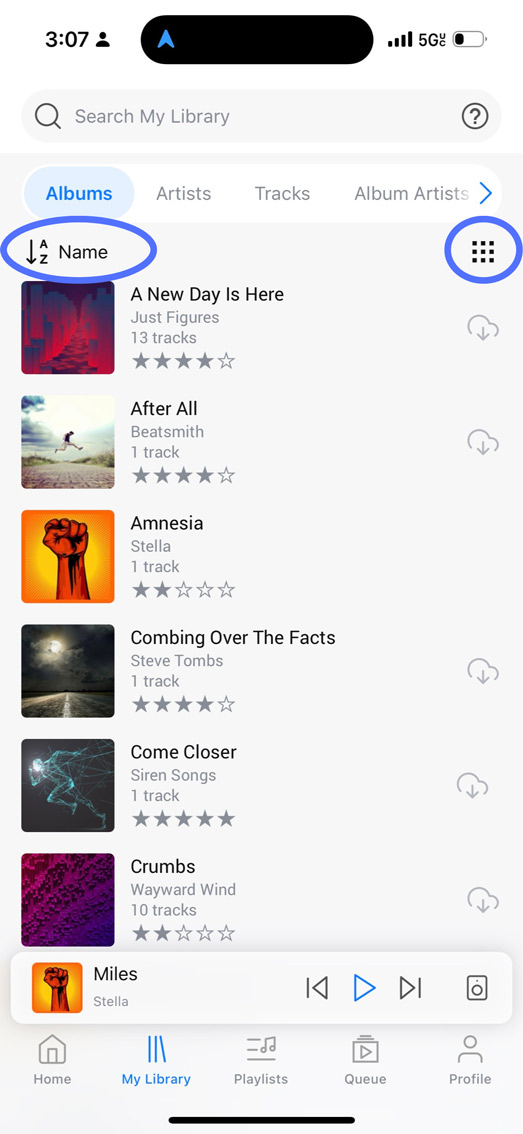
Beneath the filter bar, there are controls to switch between List and Tile view, depending on your visual preference (top right), and options to sort your library from A-Z by fields such as Name, Album Artist, Year, Rating, and more (top left). These options haven't changed – they've just been moved around a little!
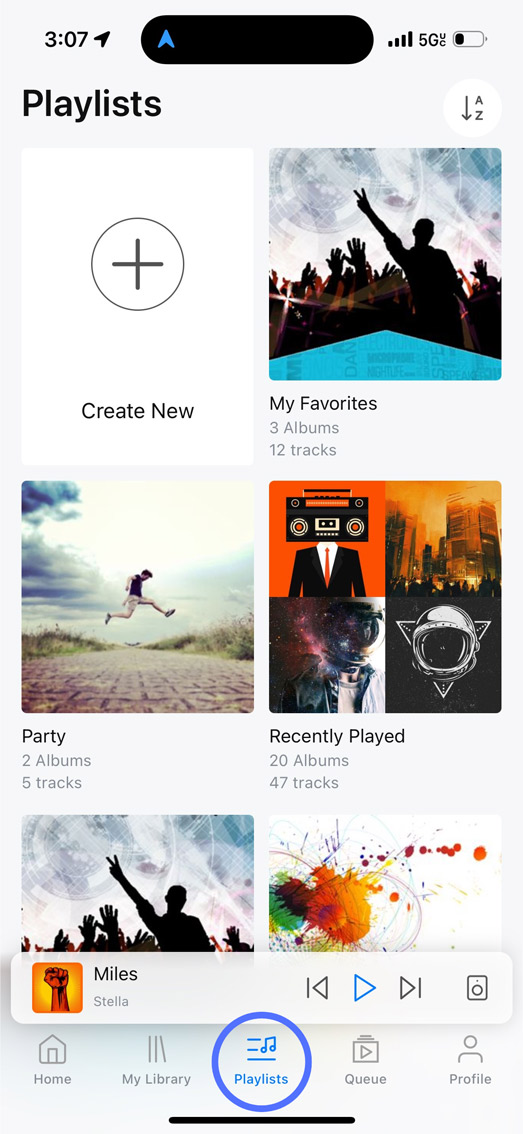
3. Dedicated Playlists Tab. Playlists now have their own tab to make it simpler to organize and manage your tracks. Here you can find options to create new playlists, drag and drop to reorganize them, and access your Downloaded and Trashed tracks.
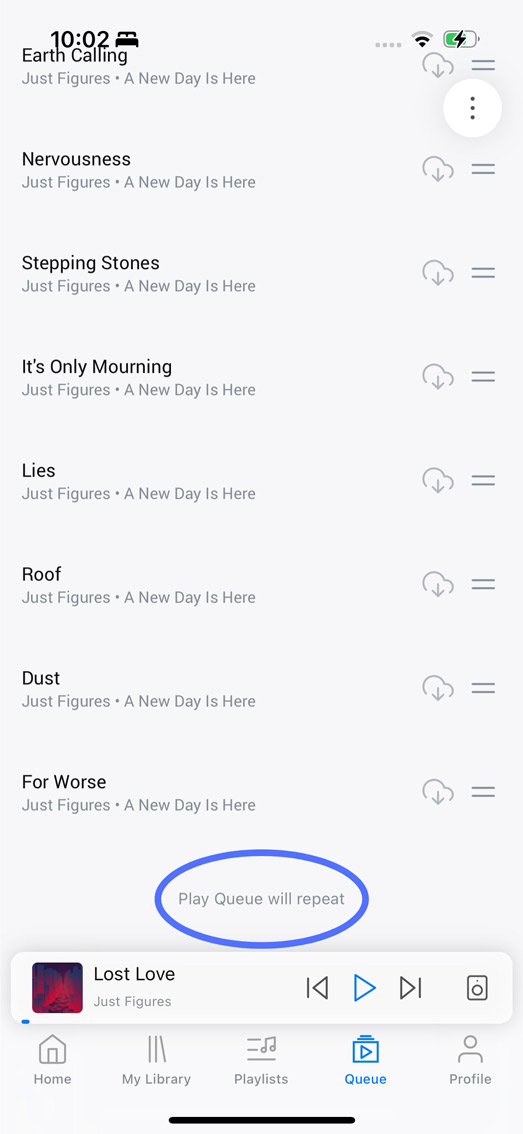
4. End of Queue Note. A helpful new note at the bottom of the play queue now informs you what will happen when the queue ends.
5. Design Tweaks and Consistent Icon Sizing. We've normalized icon sizes throughout the app and between platforms for a more cohesive and polished look. For iOS users, we've added widgets in various sizes that you can use to control playback from the home screen, which you can configure on your widgets screen by going to Customize > Add Widgets, and selecting iBroadcast.
Full release notes are below:
- Updated nav bar and mini player design
- Combined search and library tabs and moved playlists into its own tab
- Moved library sort and list/tile toggle to a control bar below the grouping tabs
- Normalized icon sizing throughout the app
- Added "Remove Tracks from Playlist" multiselect option
- Added note at bottom of play queue indicating what happens when the queue ends
- (iOS only) Added iOS widgets of several sizes for playback control
- Bug fixes & stability improvements