March 24, 2025
iBroadcast version 8.9 is now available for both iOS and Android! In this update, we are excited to unveil our comprehensive Audio Quality control center. This long-awaited Premium feature includes for more granular audio quality controls to give you ultimate customizability of your listening experience. Version 8.9 also brings improved support for FLAC files, more visibility for Premium features, and numerous bug fixes. Read on for more details!
1. More granular audio quality controls. The Audio Quality control settings can be found in a new dedicated section under Profile > Settings > Audio Quality.
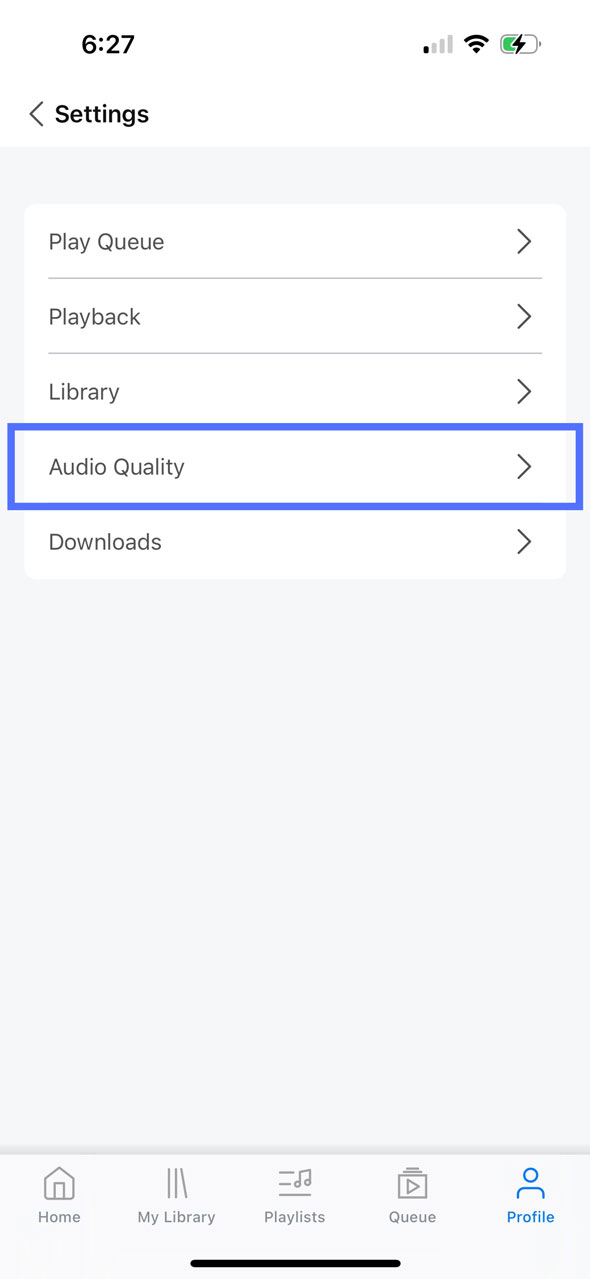
Here, Premium users can change the playback quality for your tracks, depending on how you are listening. For example, if you want to choose a lower bitrate for streaming on cellular data, and a higher bitrate for streaming on wifi, you can adjust between 96 Kbps-320 Kbps, or original quality. Similarly, you can select the bitrate for your downloaded tracks, as well as set the bitrate for playback on other devices, including Sonos, Chromecast, and Alexa.
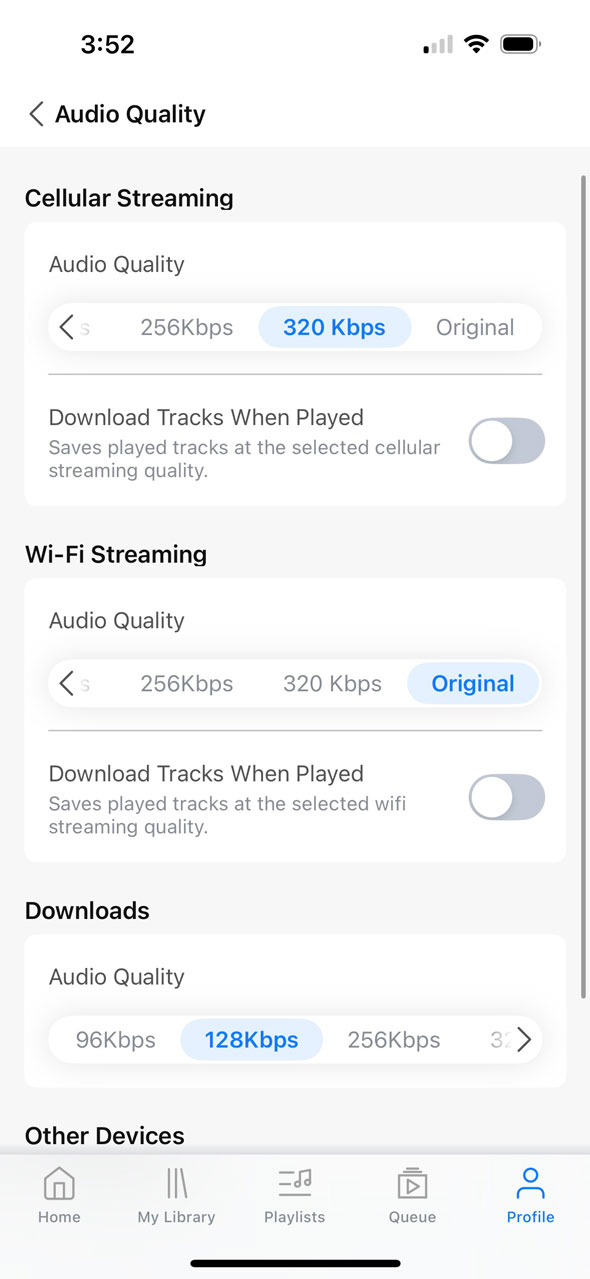
Additionally, the "Streaming Only" setting has been renamed to "Download Tracks When Played" and moved to this section. When this setting is off (default), the app will not automatically download tracks as they are played -- they will only stream. However, turning this on can be useful for reducing data usage, because your most played tracks will already be downloaded, available, and ready to play on iBroadcast at your preferred playback quality without needing to stream them.
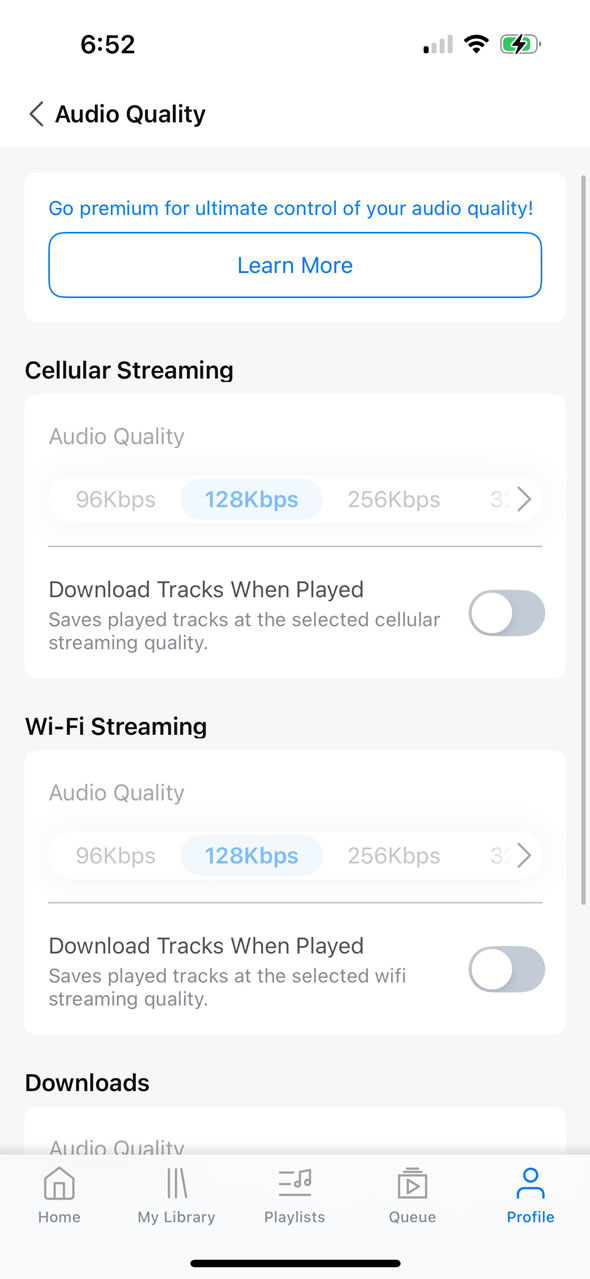
Free tier users also have access to the setting to automatically download and save tracks upon playback, but only at the standard bitrate of 128 Kbps.
2. Local player FLAC support. The app now has improved support for FLAC files allowing them to stream and download faster. Multi-channel FLAC files will now also sound more accurate on stereo outputs.
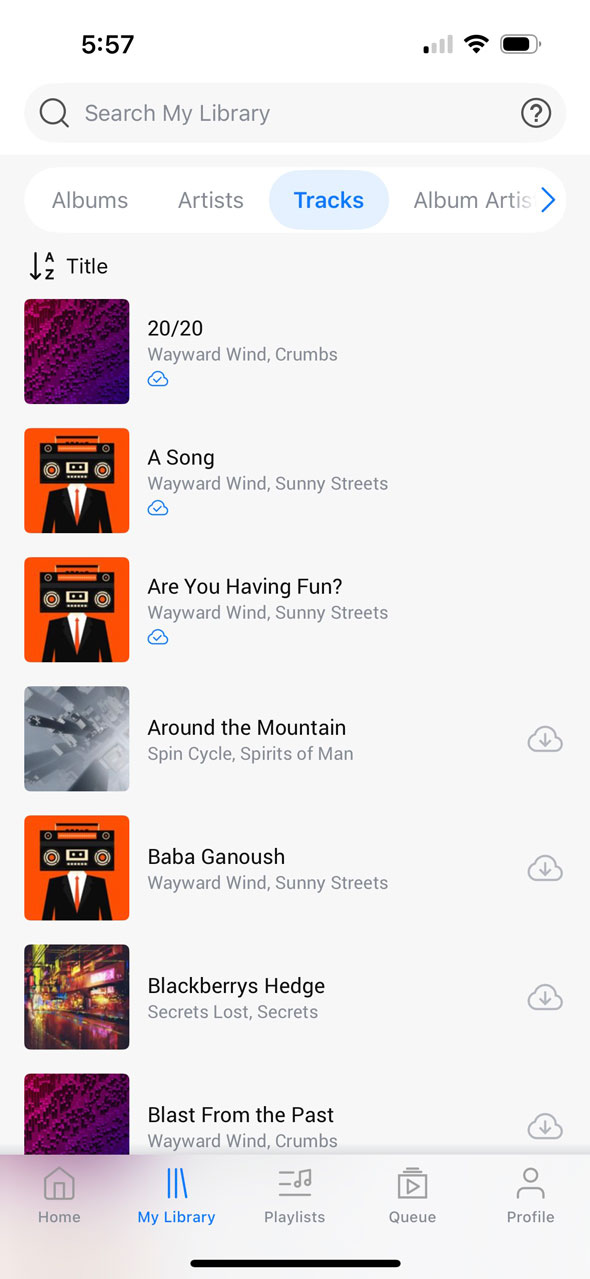
3. Show download buttons setting. Download buttons are now hidden by default to avoid repetitiveness (but the icon to show that a track is downloaded is still present!) You can still download tracks by long pressing and selecting "Download Track" from the context menu. However, if you prefer to have the old view where download buttons were always shown by default, you can revert back to it by turning on "Show Download Buttons" within Library settings.
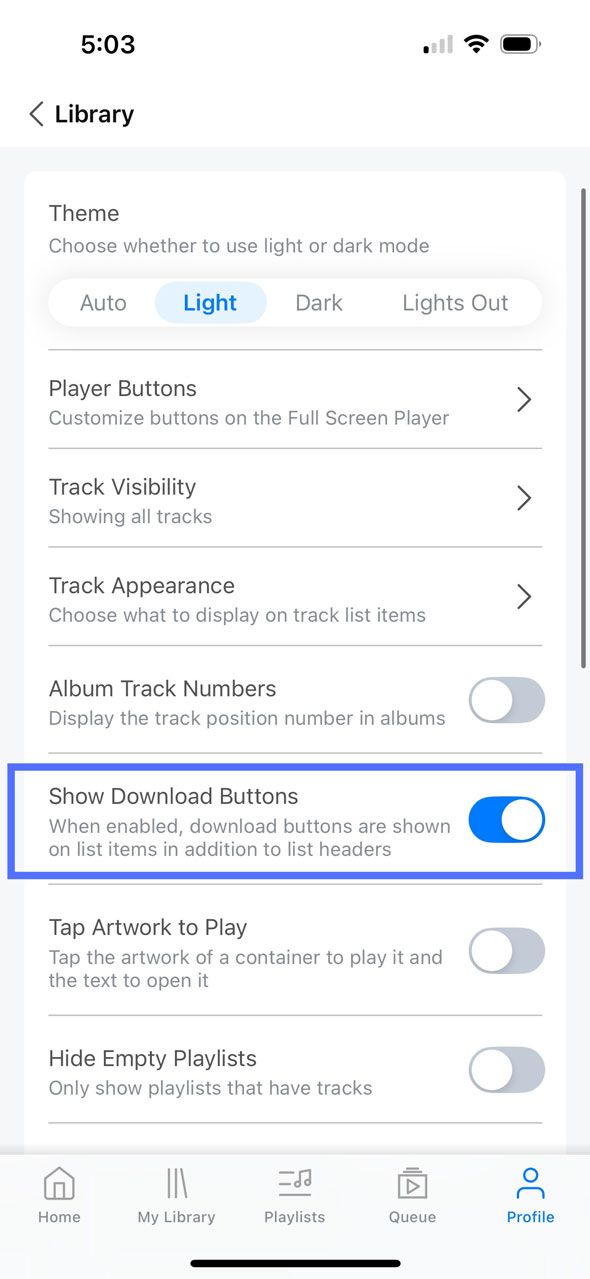
In the example, "Show Download Buttons" is enabled, the top three tracks have been downloaded, and the rest are not yet downloaded.
4. Setting to customize "Tap Artwork to Play". Previously, tapping the artwork for a playlist or album was a shortcut for instantly playing that collection with one tap, whereas tapping its name would open up a list view of the tracks. Taking into account some user feedback, we’ve now changed it so that tapping either the artwork or the name both open the list view by default, and "Tap Artwork to Play" is now a Library setting that is off by default.
5. Some settings renamed and reorganized. A few settings were renamed or moved to be better put into context. In Library settings, Display Tracks has been renamed to Track Visibility, and Track Subtitle is now Track Appearance. Show Artwork Next to Tracks has been moved into Track Appearance, and Audio Quality has been moved into its own section in the main Settings page.
6. Numerous bug fixes. Because it has been some time since our last major release, this update includes various bug fixes and performance improvements for both platforms. Notably, on iOS, an issue with Siri voice commands has been addressed, as well as an issue that caused tracks to sometimes not start from the beginning.
On Android, several Chromecast issues have been addressed, including better handling of connection stability problems. An issue displaying artwork on the home screen has been fixed, Additional Artist info will now display on the Full Screen Player, non-square artwork will now display in its original aspect ratio. An issue with bookmarked tracks sometimes not starting from where they left off was fixed, and search by tag is now available, and more.
Full release notes are below:
- Added granular audio quality controls (Settings > Audio Quality)
- Improved support for FLAC files
- Renamed Display Tracks to Track Visibility
- Renamed Track Subtitle to Track Appearance
- Moved Show Artwork Next to Tracks into Track Appearance
- Added Show Download Buttons setting
- Added Format to track appearance
- Keyboard is now hidden when pressing play in search bar
- Miscellaneous minor bug fixes and stability improvements
iOS Only
- Adjusted font sizes
- Library scroll position is now remembered when switching between groupings
- Fixed an issue causing tracks to sometimes start part way through
- Fixed an issue with shuffling containers
- Fixed an issue causing Siri voice commands to not recognize tracks
Android Only
- Fixed an issue sorting containers and track lists
- Fixed an issue reordering tracks in the play queue
- Fixed an issue resuming bookmarked tracks & containers
- Fixed an issue restoring the now playing track on app launch
- Fixed an issue responding to the hardware back button
- Fixed an issue causing volume to be set incorrectly while using Chromecast
- Improved performance while downloading tracks
- Improved Chromecast connection stability