August 20, 2025
iBroadcast version 9.0 for iOS and Android is available now! This update includes an expansion of our audio quality settings to automatically adjust for variable network speeds, better support for previously unplayable files, and other highly requested features.
1. Automatic audio quality setting. The mobile app now supports “Auto” audio quality, also known as adaptive bitrate, which automatically adjusts playback to the highest quality that your network can support without interruptions. “Auto” may be a good option if your network connection tends to vary while you’re enjoying your music. To enable it, go to Profile > Settings > Audio Quality and choose “Auto” when streaming on cellular or wifi.
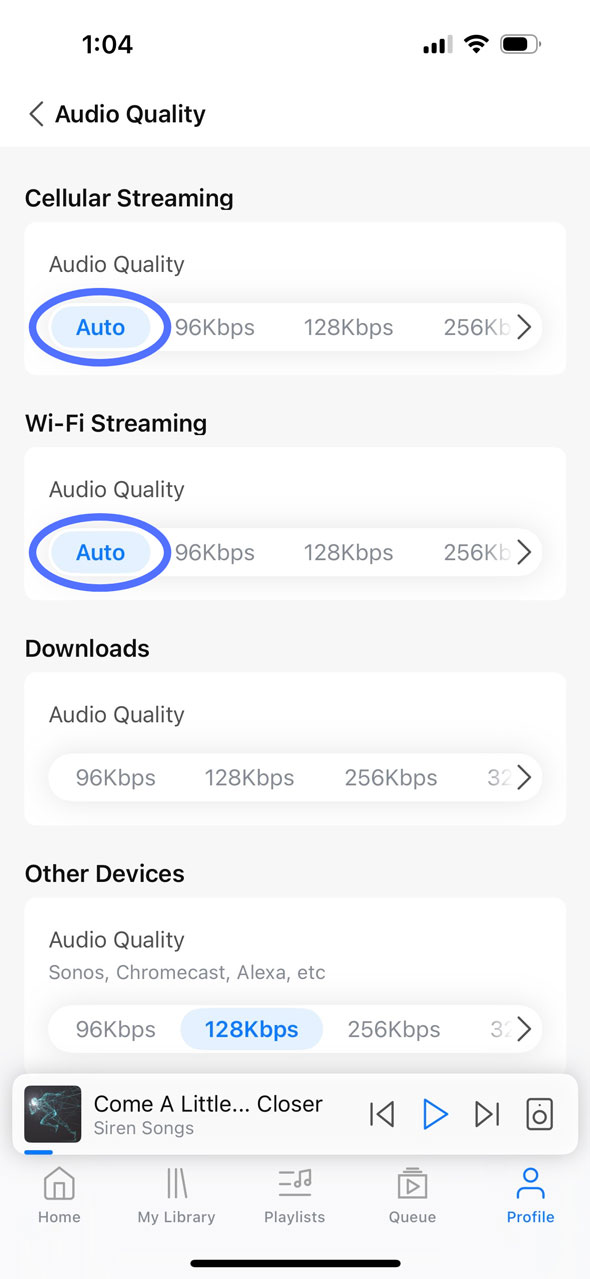
2. Unsupported original files will now play in the nearest supported bitrate. Similar to our recent web update, the mobile app will now convert unsupported original files to another playable format to prevent any unnecessary disruptions to your streaming experience. Previously, Premium users who had playback quality set to “Original” could experience issues if the original file was in a format that isn’t natively supported by the app, such as ALAC (Apple Lossless) files on Android. Now, even if your streaming preferences are set to Original, the system will automatically detect unsupported files and convert them to the closest available bitrate, such as 320 Kbps.
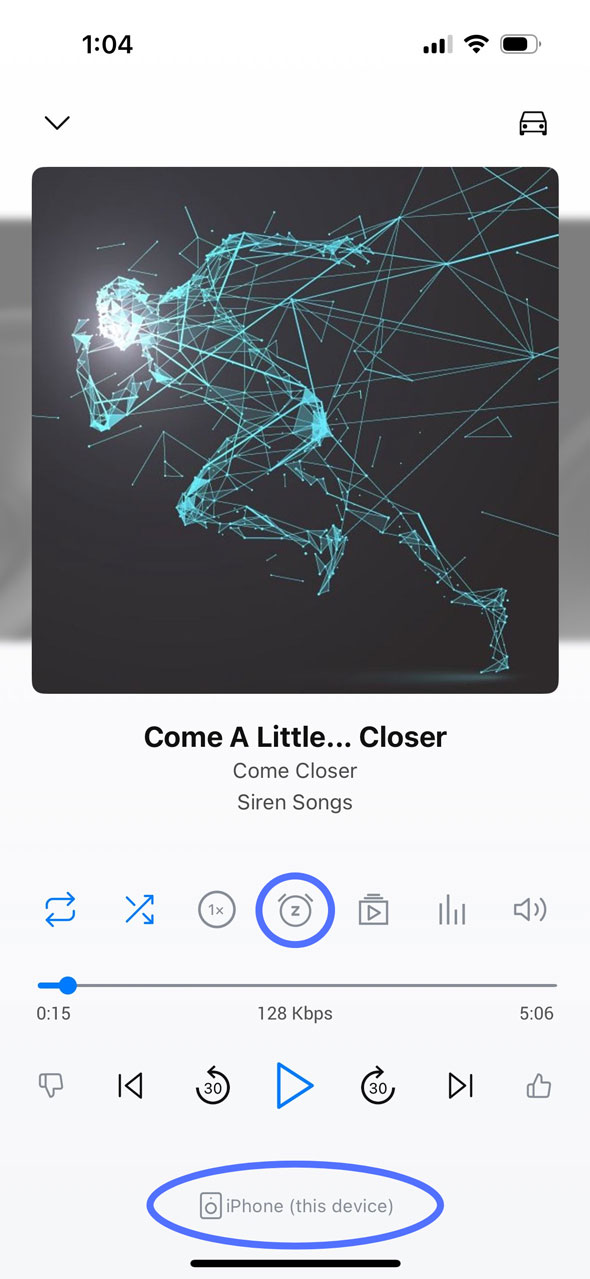
3. Moved the Sleep Timer and My Devices to the Full Screen Player. We’ve moved the Sleep Timer and My Devices from Settings to the Full Screen Player for easier access with fewer steps. The Sleep Timer (alarm clock icon) is above the progress bar, whereas My Devices will now show the device you’re currently playing to at the bottom of the screen. Tap it to bring up the full Devices menu. To remove either of these from the Full Screen Player, go to Profile > Settings > Library > Player Buttons to customize which buttons will appear.
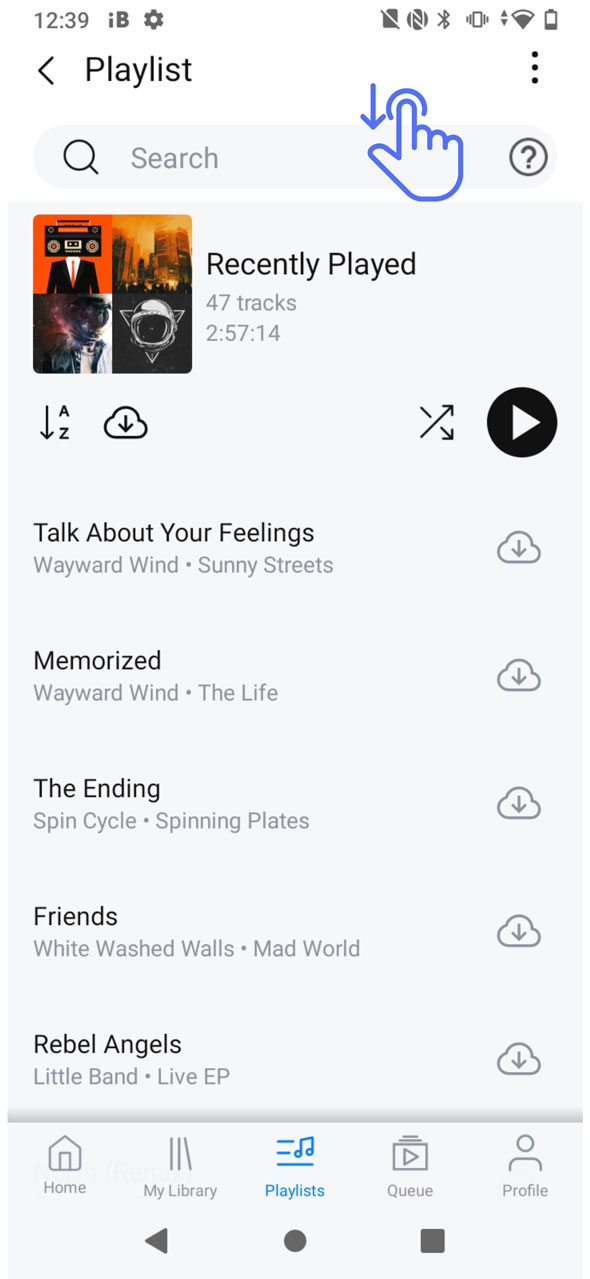
4. (Android-only) Search for tracks inside any track list. The Android app now has the same functionality to search for a track inside any track list, such as a playlist or album. To access the search bar from inside a playlist or album, simply pull down from the top of the screen to bring it into view. This feature is especially useful for those with very long playlists who want to easily find a track without scrolling.
We hope you enjoy these updates, and please let us know what you think!
Full release notes are below:
- Adaptive bitrate (“Auto” audio quality)
- Fall back to closest bitrate for unsupported original formats
- Moved Sleep Timer to the full screen player
- Layout changes to the full screen player
- Playlist search now searches the contents of playlist folders
- Bug fixes and stability improvements
Android Only
- Changing the album name in Edit Track no longer adds the artist name
- Search for tracks inside any track list
- Fixed an issue syncing Shuffle and Repeat with full screen player and Android Auto
- Fixed an issue clearing multi-select after use
- Fixed issue displaying artwork when an artist artwork is missing