July 31, 2026
Version 9.4 of the iBroadcast Android app is live, joining iOS, which was released earlier!
Highlights of this update include a new search-by-tag feature and major improvements to our player that expand support for original audio formats.
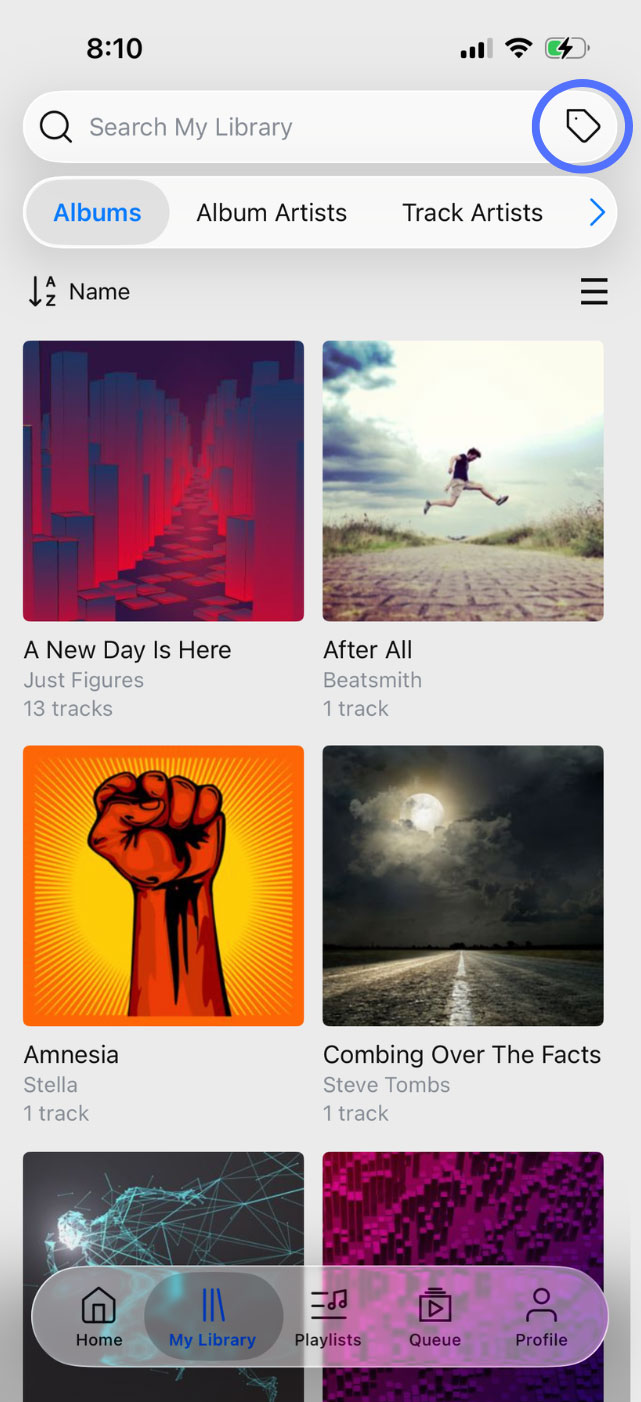
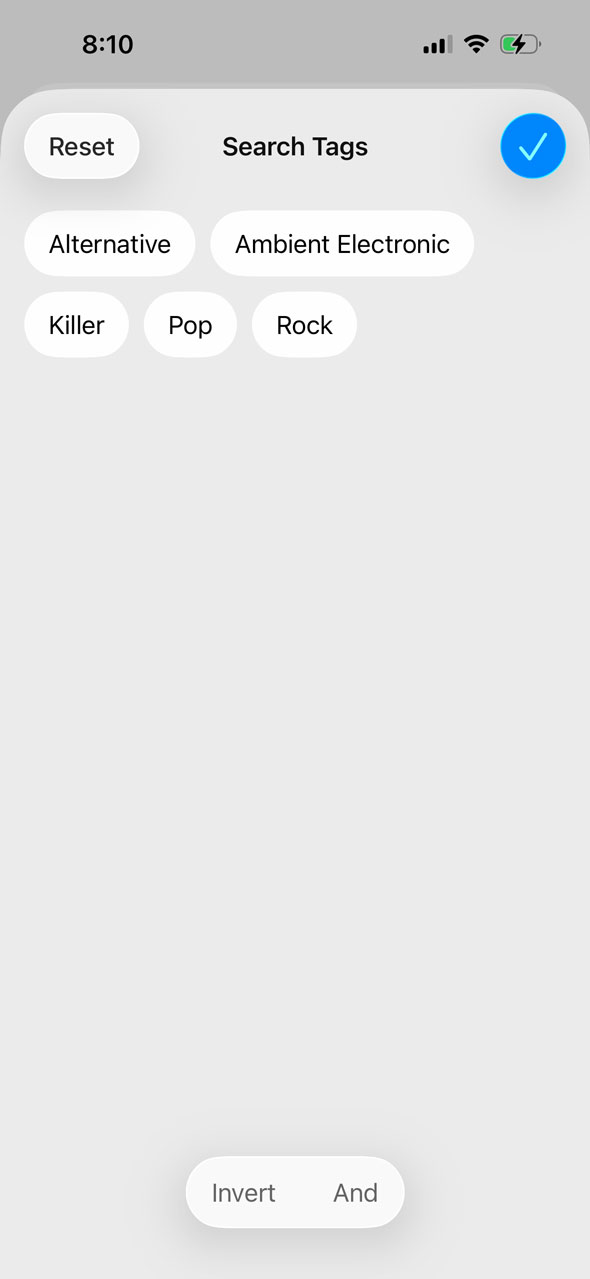
We’ve added a Search Tags button to the right side of the search bar in the app. Tapping it opens your tags list, where you can select one or more tags to search only tracks with that tag. By default, selecting multiple will return results matching any of the tags. The “And” and “Invert” modes at the bottom can be toggled to return results matching all of the selected tags, or invert the result set to tracks that do not match.
Previously, the only way to use tags on the app was to browse by name in the Tags section of your library; there wasn’t a way to limit search results to a tag’s contents. This update makes tags more useful on mobile and brings their functionality closer to the advanced tag features of the web player.
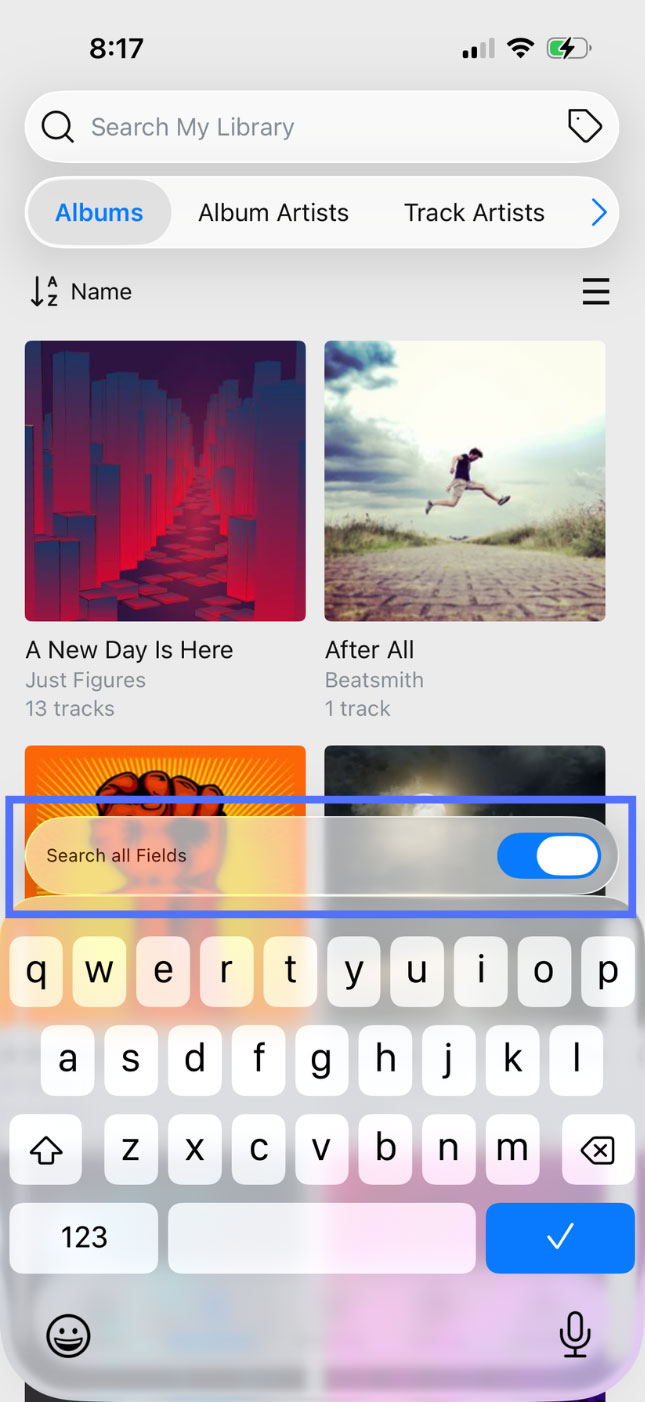
Additionally, we’ve moved the “Search All Fields” toggle above the keyboard while searching for better visibility. Tapping on the search bar will bring it into view. When “Search All Fields” is off, search results will only include matches from the library page you’re currently viewing (such as Albums). When enabled, searches will be expanded to include any metadata field, such as Album, Artist, Genre, Date Uploaded, and more.
The second big-ticket item in this update is a series of major under-the-hood improvements to our player that should improve overall performance as well as expand playback in original quality to even more file formats for Premium members. Previously, some original files had to be converted to other formats due to player limitations. With these improvements, any file format that your mobile device natively supports should be playable in original quality. Please note that original quality playback is limited to mono or stereo audio files. Multi-channel audio files, such as Dolby Atmos, will still play as stereo audio. Playback on other devices, such as Chromecast, may also have limitations based on their own format support.
We hope you enjoy these updates, and we welcome your feedback!
Full release notes are below:
- Added Search Tags button to the search bar
- Moved Search All Fields above the keyboard when searching
- Improved support for original audio formats
- Fixed an issue resuming playback after interruptions, such as phone calls, navigation, or Siri
- Bug fixes
iOS Only
- Fixed an issue causing the lock screen player to show the pause button when already paused
Android Only
- Playback no longer starts automatically after connecting to Bluetooth
- Improved recovery and resuming when downloading tracks
- Fixed an issue preventing the screen from staying awake while in driving mode
- Fixed an issue causing songs to restart after loading in Automatic quality
- Fixed an issue setting replay gain
- Fixed an issue updating playlist search results