May 5, 2026
Our latest update improves how Additional Artists and Composers are handled in the web player, along with several usability enhancements. Some settings have been moved or renamed — read on for more details!
1. Composers as a library page. “Composers” can now be added as a top-level library page on the web player, like Genres, Albums, and more. This was a frequently-requested feature, especially for classical music-lovers who prefer to browse their collection by composer. The Composers page is shown by default on the web player, but it can be hidden if desired (more on this below).
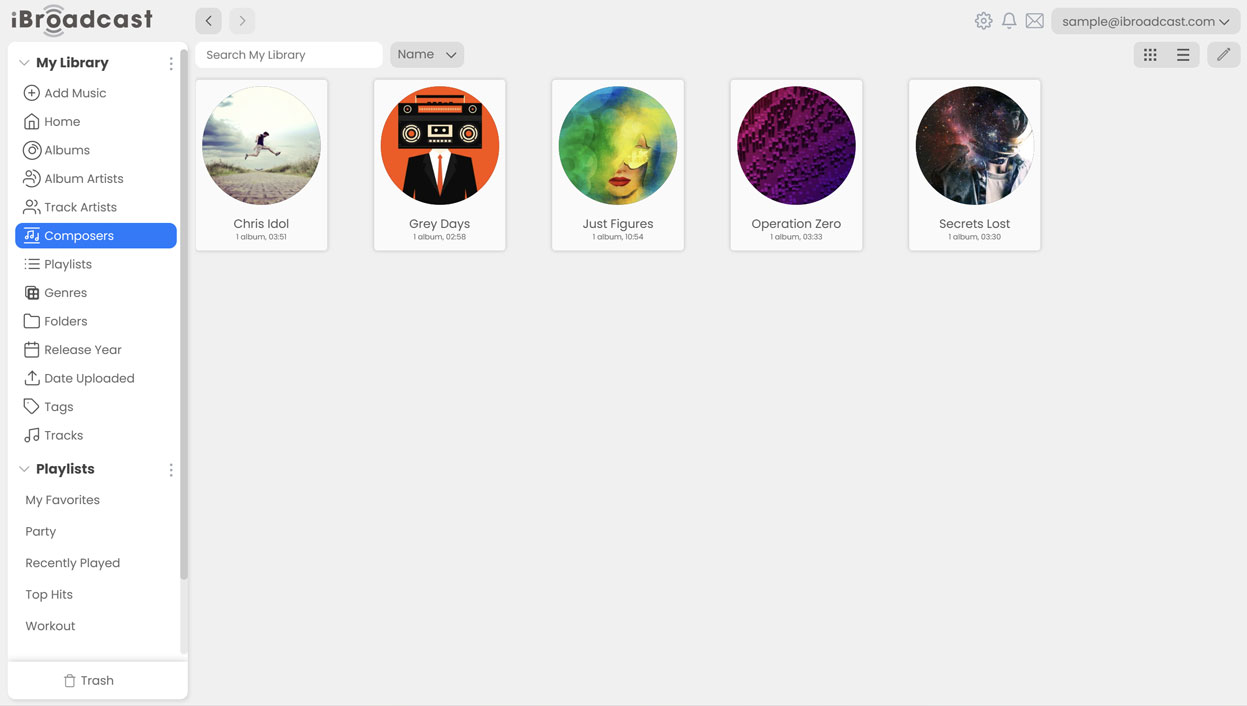
2. “Show Additional Artists and Composers” setting updates. The “Show Additional Artists” setting has been renamed to “Show Additional Artists and Composers” and now controls more than just track columns. Disabling it will hide the Composers page and remove additional artists from the Track Artists and Album Artists pages. This fixes an issue where additional artists would still appear even when the setting was turned off. Also, when enabled, additional artists and composers are included in “Search All Fields.” When disabled, those fields are excluded.
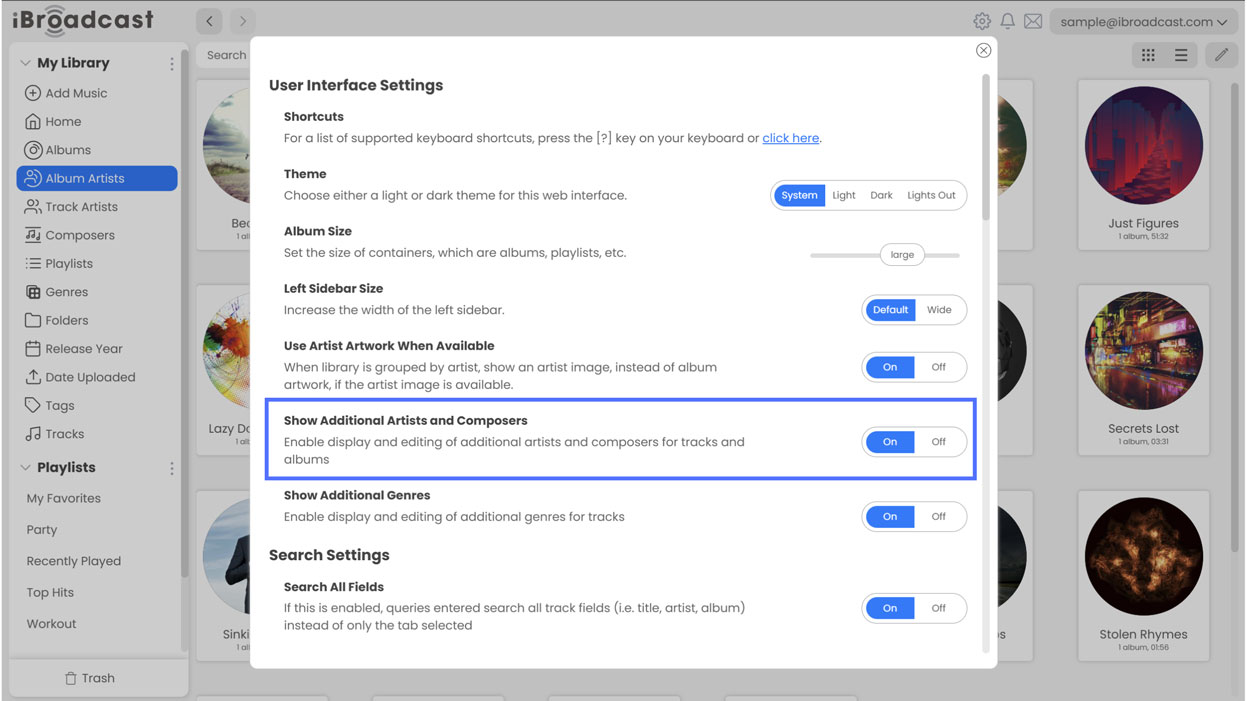
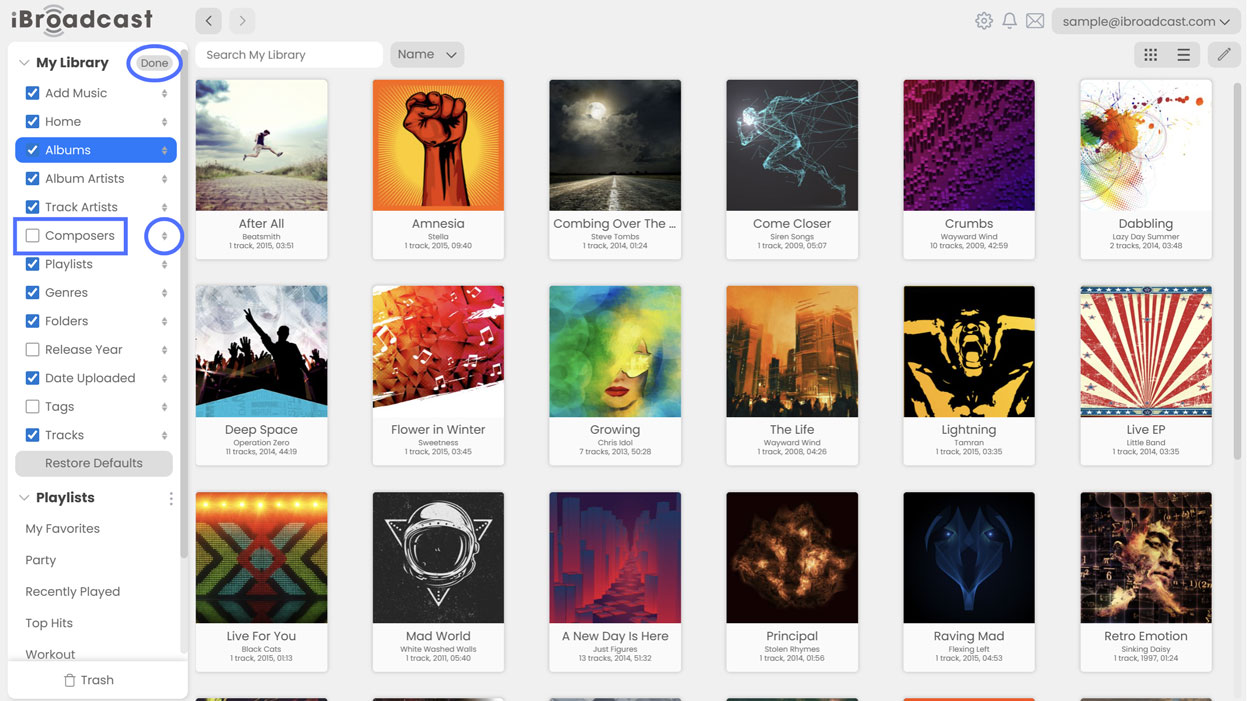
3. Hide or rearrange library pages. To hide pages or rearrange their order in the menu, click the 3 dots (...) next to “Library” and choose “Edit Pages”. From there, you can toggle visibility using the checkboxes, or use the arrows to move them upwards and downwards. Be sure to click “Done” to save changes.
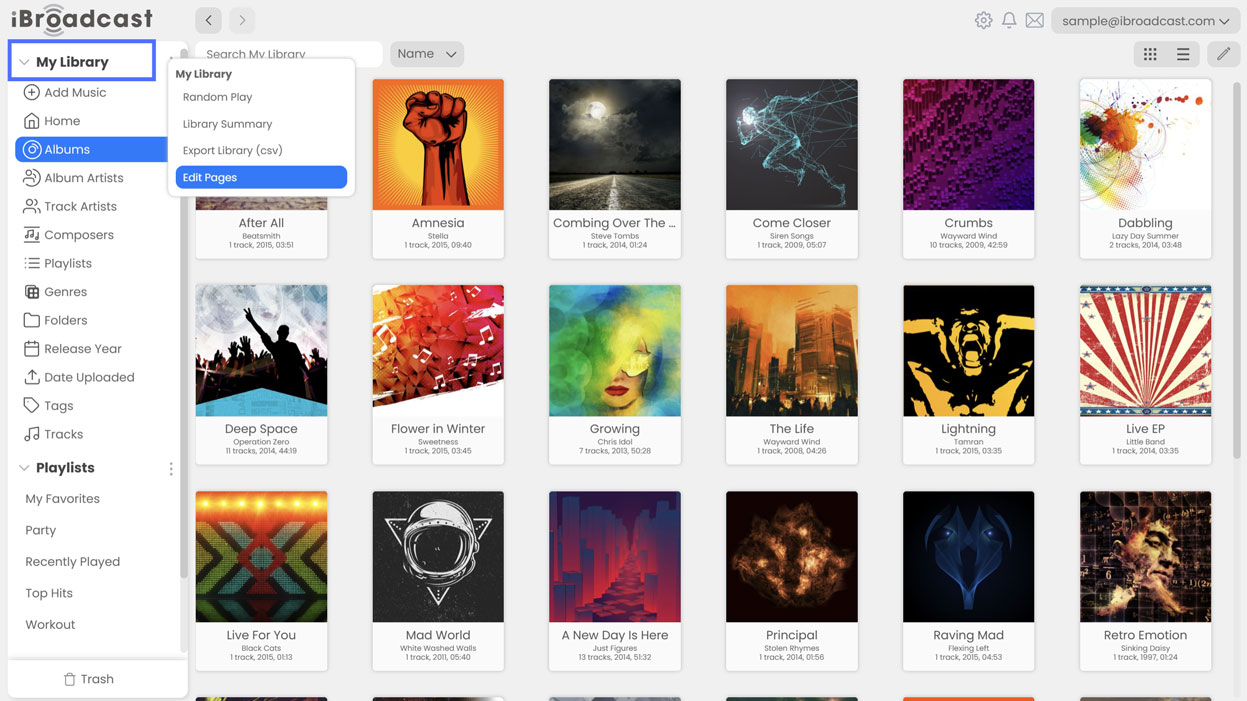
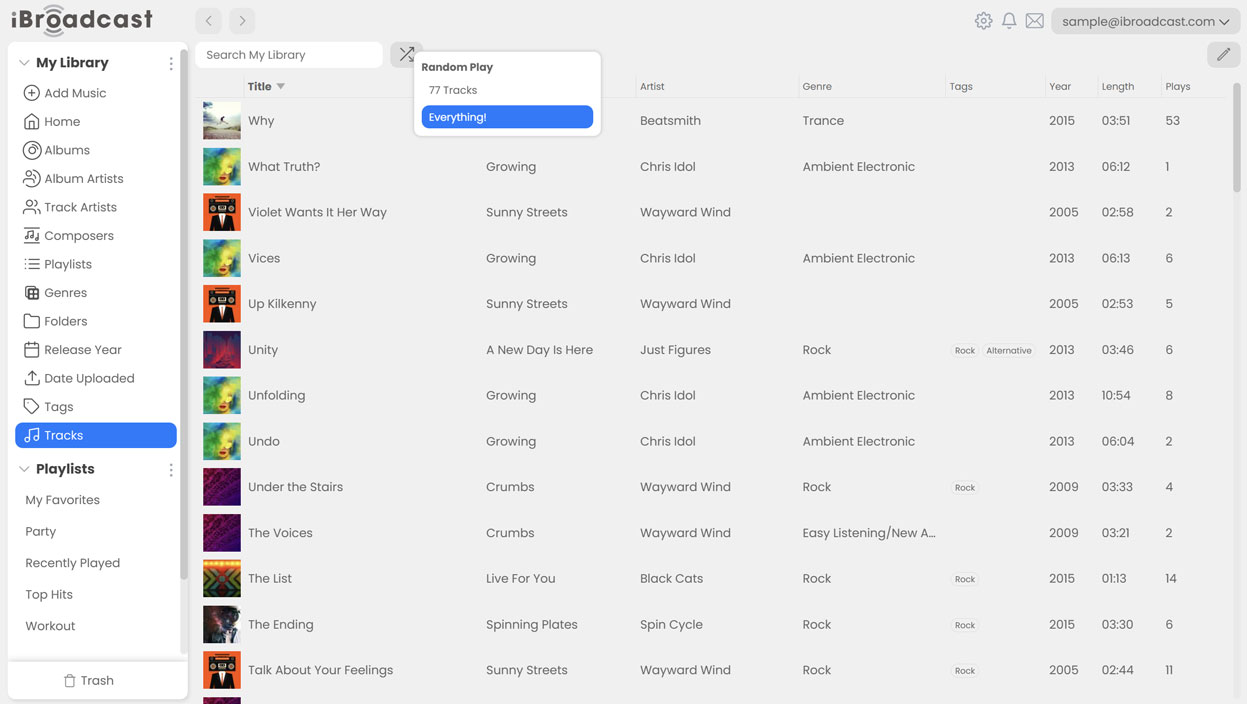
4. Random Play moved to a shuffle button on library pages. Random Play lets you shuffle 500 tracks, your entire library, or other categories such as albums or artists. Previously, Random Play was accessed from the three-dots menu (...) next to “My Library.” It’s now available via a shuffle button at the top of each library page next to the search bar, allowing you to shuffle the contents of each page directly. For example, on the Tracks page, select Shuffle to choose between “500 Tracks” and “Everything!” On the Albums page, Shuffle will play 10 random albums; on the Track Artists page, Shuffle will play the discography of 10 random artists, etc.
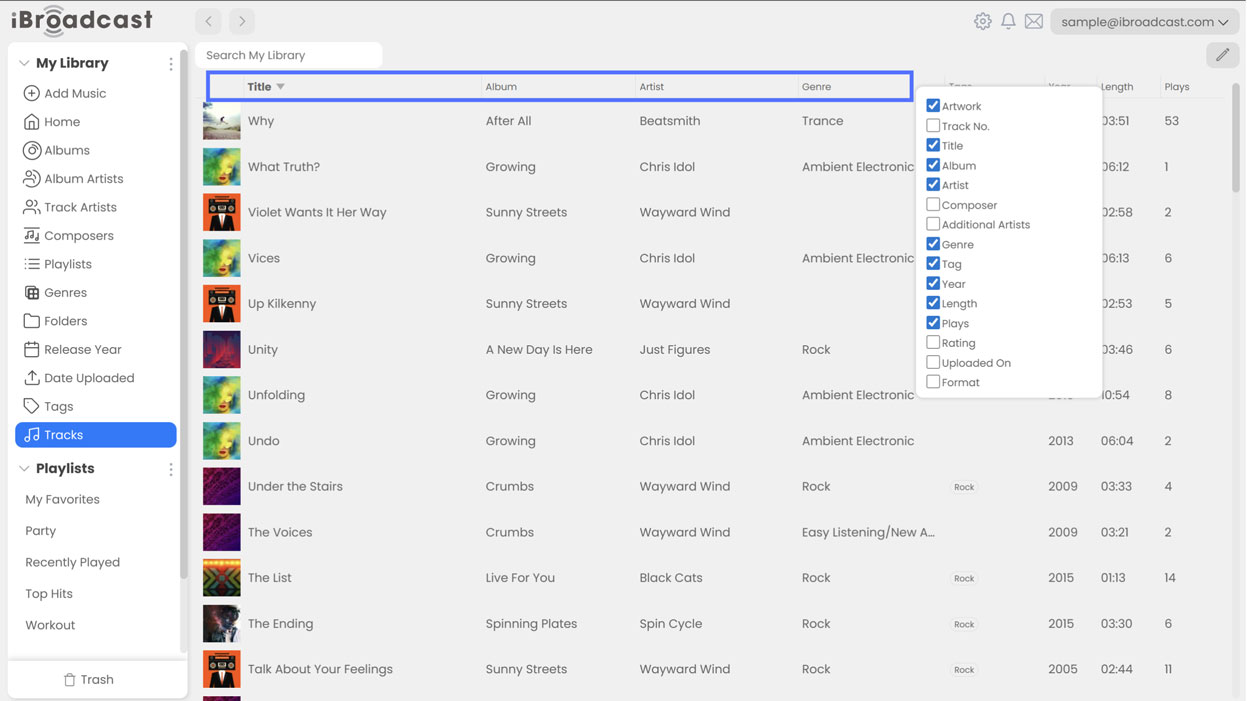
5. Right click column headers to control visibility. Previously, showing or hiding columns was controlled under Settings > Track Columns. Now, right clicking a column header in a list view (like “Tracks”) will display a list of headers that you can easily select and deselect. Track lists can also now scroll horizontally to support more columns without cutting off text.
The main goal of these changes is to make additional artists and composers more useful for those who want them, while remaining unobtrusive for those who don’t. As always, we hope you enjoy these updates, and please let us know what you think!
Full release notes are below:
- Column headers in list views can now be right-clicked to toggle column visibility
- Track lists can now scroll horizontally to support more columns without cutting off text
- My Library Organization moved to (...) > Edit Pages
- All Tracks renamed to Tracks
- Show Additional Artists setting renamed to Show Additional Artists and Composers
- Composers can now be added as a top level library page when Show Additional Artists and Composers is enabled
- Random Play moved to a shuffle button on library pages
- Additional artists are now correctly hidden in Track Artists when disabled
- "Artist" type additional artists are now treated as main artists and not additional
- Bug fixes