September 29, 2026
We’re pleased to announce that iBroadcast is now available in over 30 languages! Plus, we’ve made some major upgrades to the Track Dashboard to make it easier to fix missing metadata, identify upload issues, and keep your library in order.
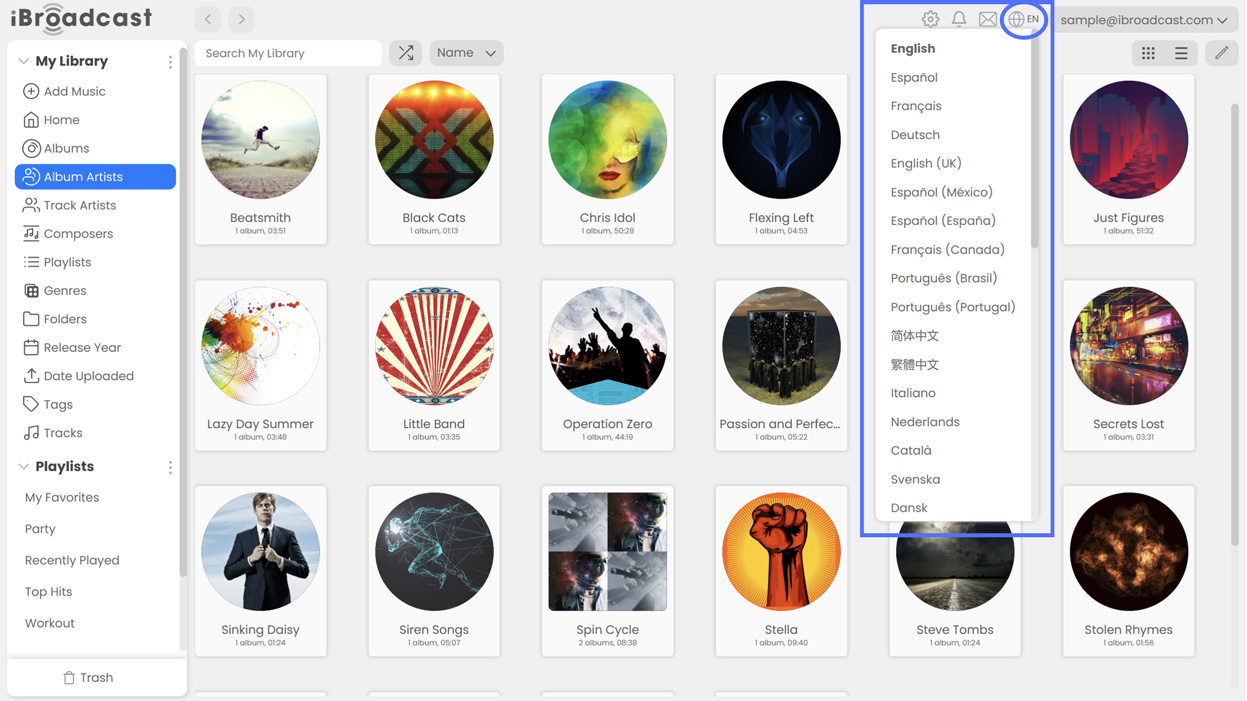
1. Language Localization. You can now choose from more than 30 languages on the iBroadcast web player! To switch languages, click the globe icon near the top right corner and choose your language from the list. We’re launching language localization on the web player first, with the apps soon to follow. If you spot any translation errors, please contact support to let us know. We hope that this update helps bring iBroadcast to an even wider audience!
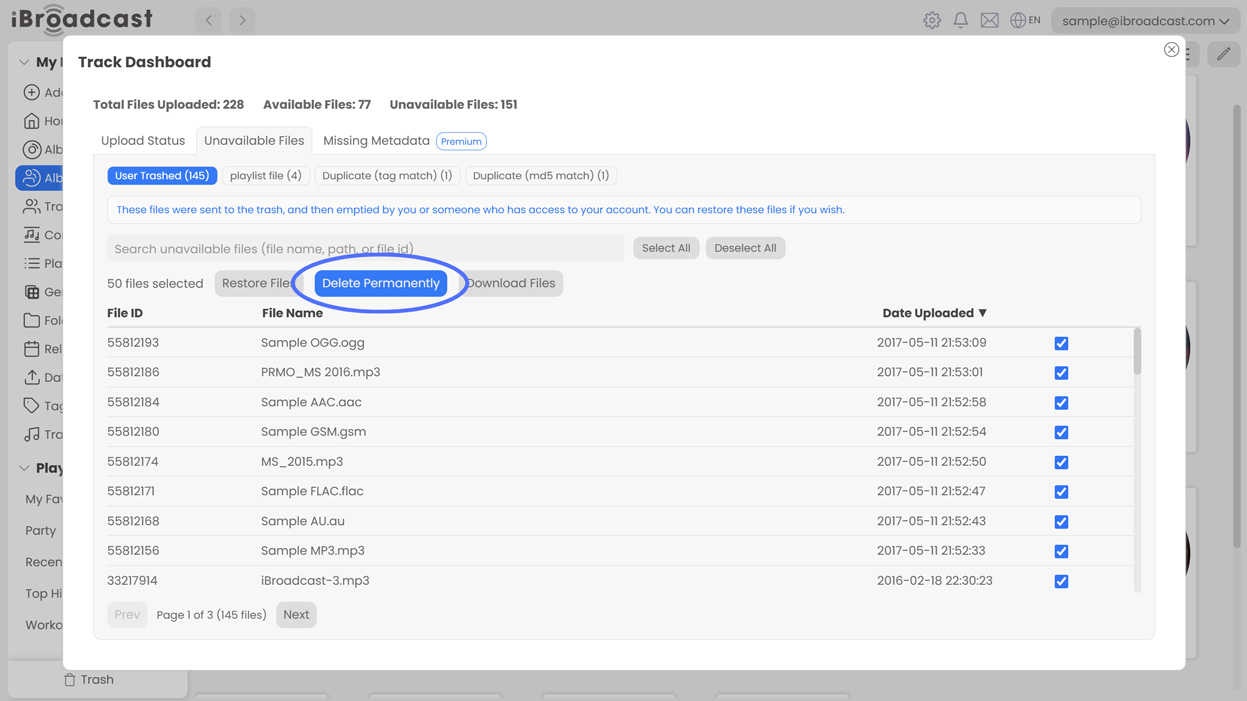
2. Permanently Delete Files. You can now permanently delete old or unwanted files from the Track Dashboard. By default, deleted tracks will still remain recoverable and duplicate or errored files will still be visible for record-keeping purposes. However, you can now delete these files if you’d prefer to clear them from the Track Dashboard entirely!
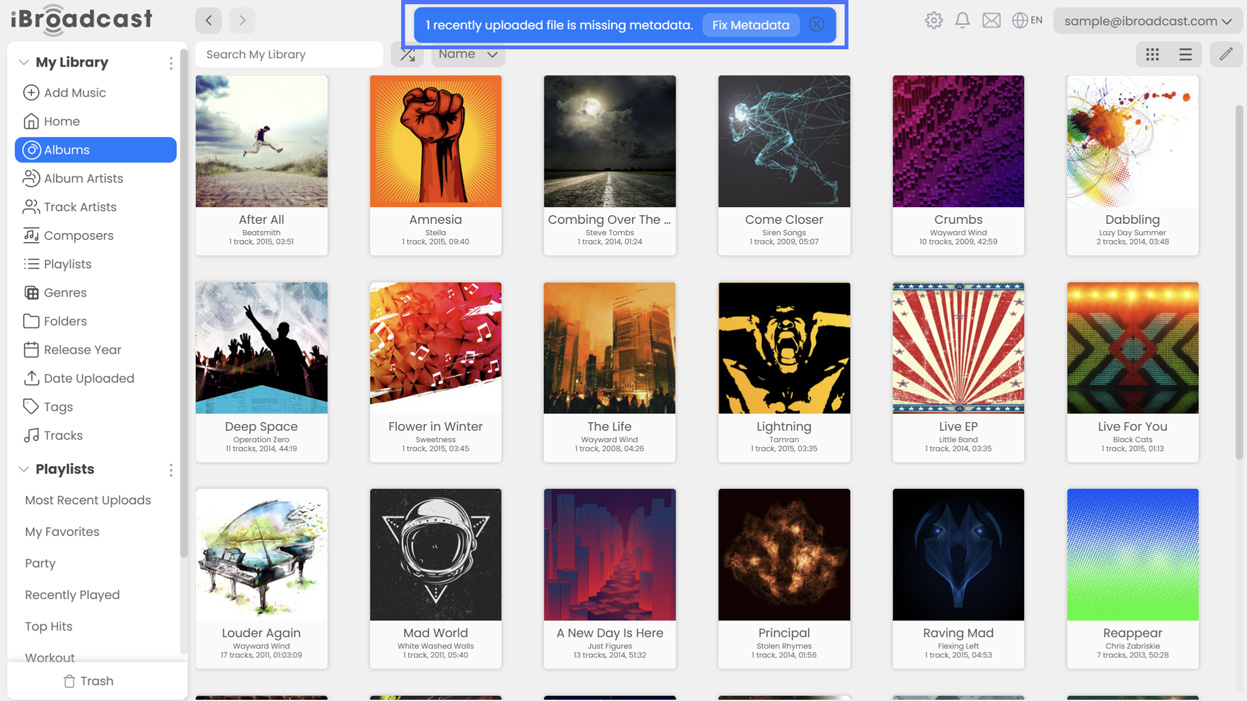
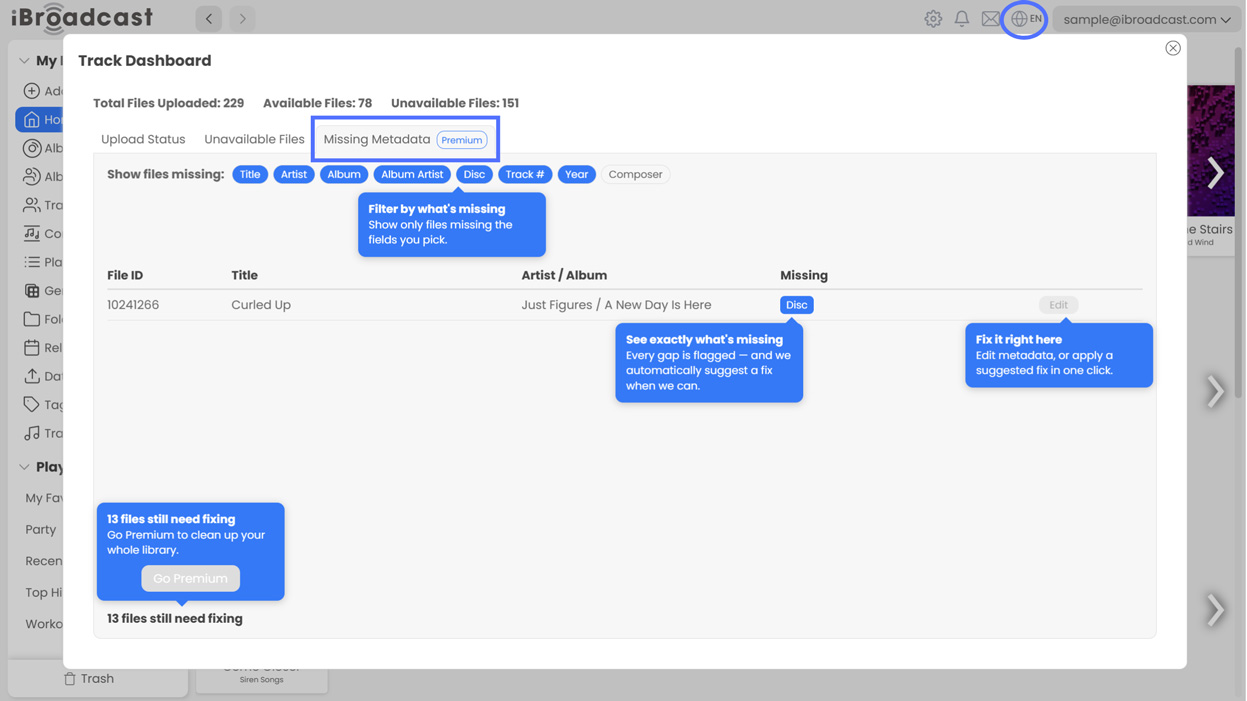
3. Missing Metadata and Suggested Fixes (Premium). Premium members can now find and correct missing metadata directly from the Track Dashboard! When a file with missing metadata is uploaded, a banner will point you to the Missing Metadata tab, where you can edit it directly or choose from our suggested fixes. Our goal is to make it easier to identify and fix missing metadata before it causes a headache in your library.
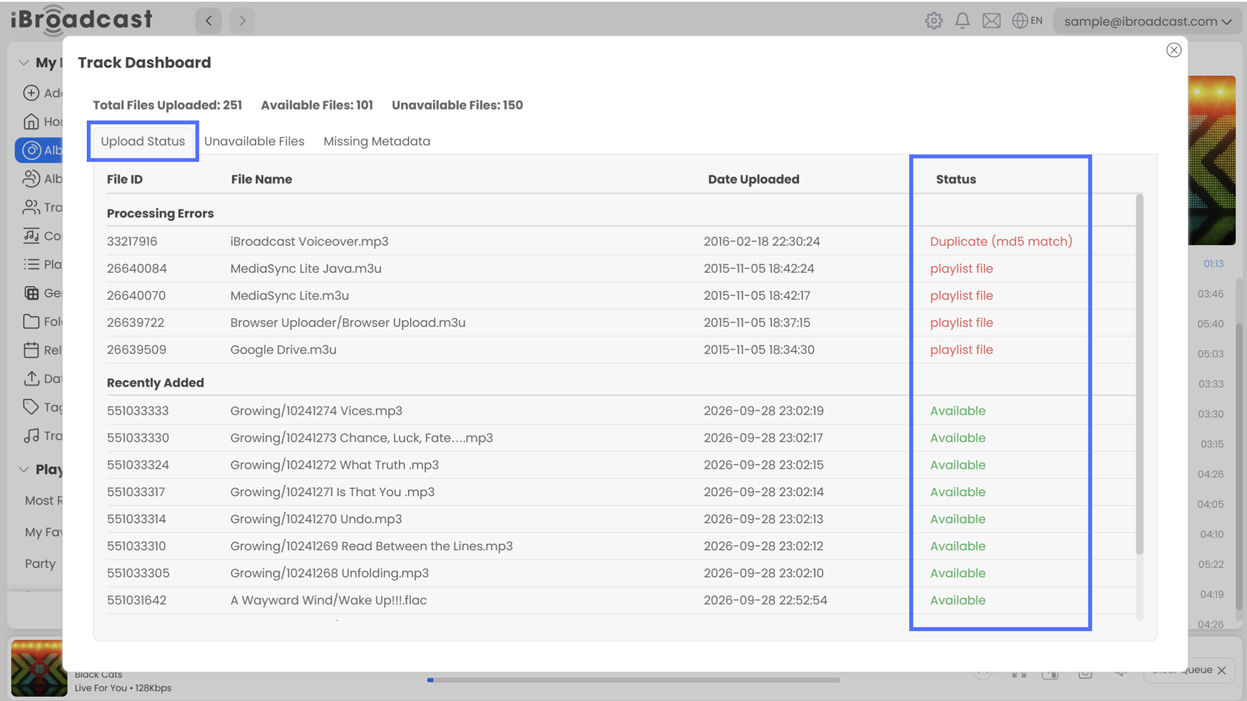
4. Upload Status. A new Upload Status tab makes it easier to see when something goes wrong during upload processing. If a file encounters a processing error or is identified as a duplicate, a notification banner will point you to the tab, where you can see which files are unavailable and why. This info was already available, but these changes make it easier to find so that you’re never left wondering why something doesn’t appear in your library.
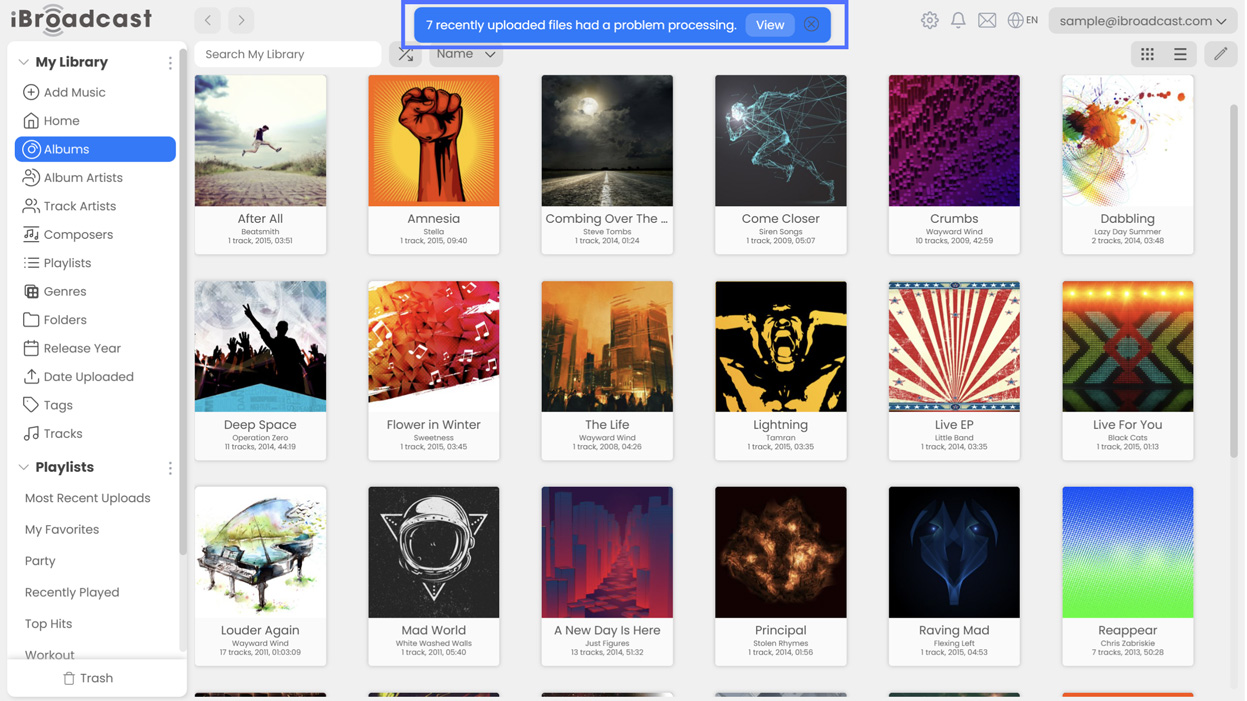
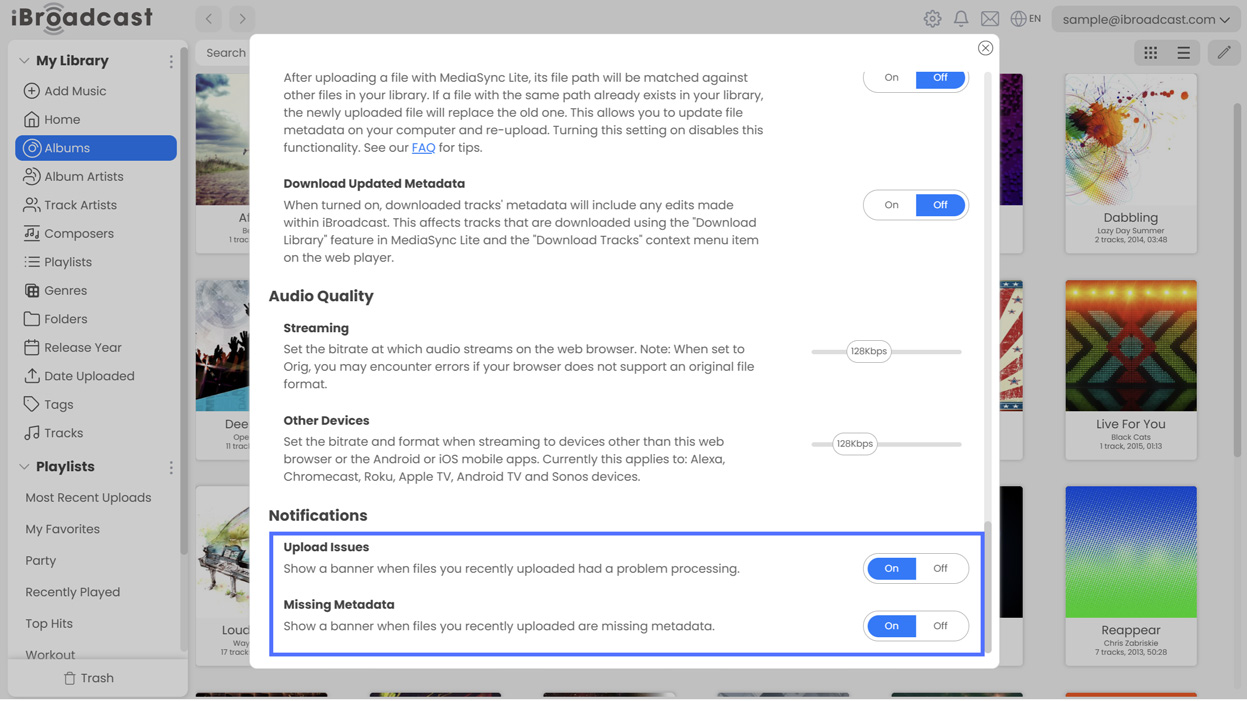
If you would prefer not to see the Missing Metadata or Processing Issue Notifications, you can turn them off under Settings > Notifications on the web player.
We hope you enjoy these improvements, and we look forward to your feedback!
Full release notes are below:
- Additional language support
- Added a tab to see and correct missing metadata to the Track Dashboard (Premium)
- Added a tab to see upload processing status to the Track Dashboard
- Added notifications when an issue is encountered during upload processing
- Fixed an issue displaying play counts
- Fixed an issue that could cause tile view to cut off some items at the bottom
- Fixed an issue that could cause the player to display the previous track while playing