December 9, 2025
Good news for lyric-lovers — Premium members can now add lyrics and custom metadata fields to any track within iBroadcast!
Because iBroadcast is built around your personal music collection, lyrics and extra metadata aren’t automatically sourced. Just like your audio files, these details are added by you, and are completely optional — you control how your library looks and feels!
To add lyrics or metadata, open any track on the web player and select “Edit Track”.
Lyrics: Add or paste lyrics into the new Lyrics field.
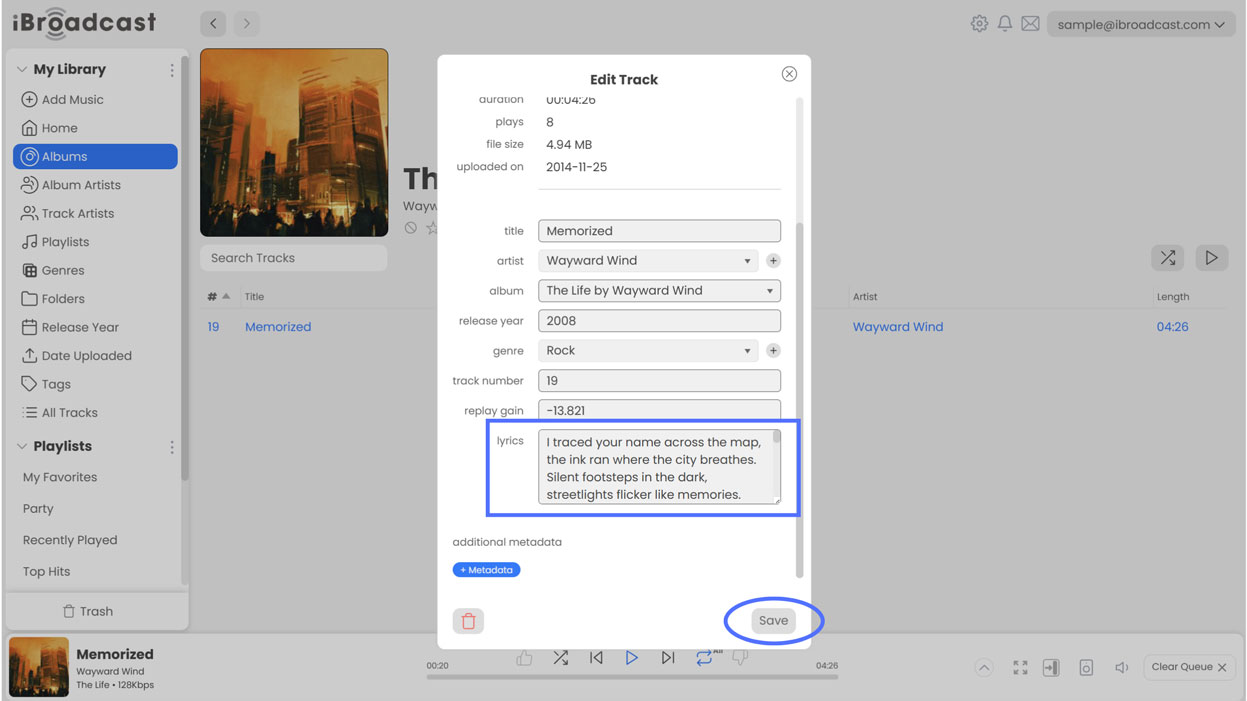
Custom Metadata: Click +Metadata to create a custom field, give it a title, enter your content, and save.
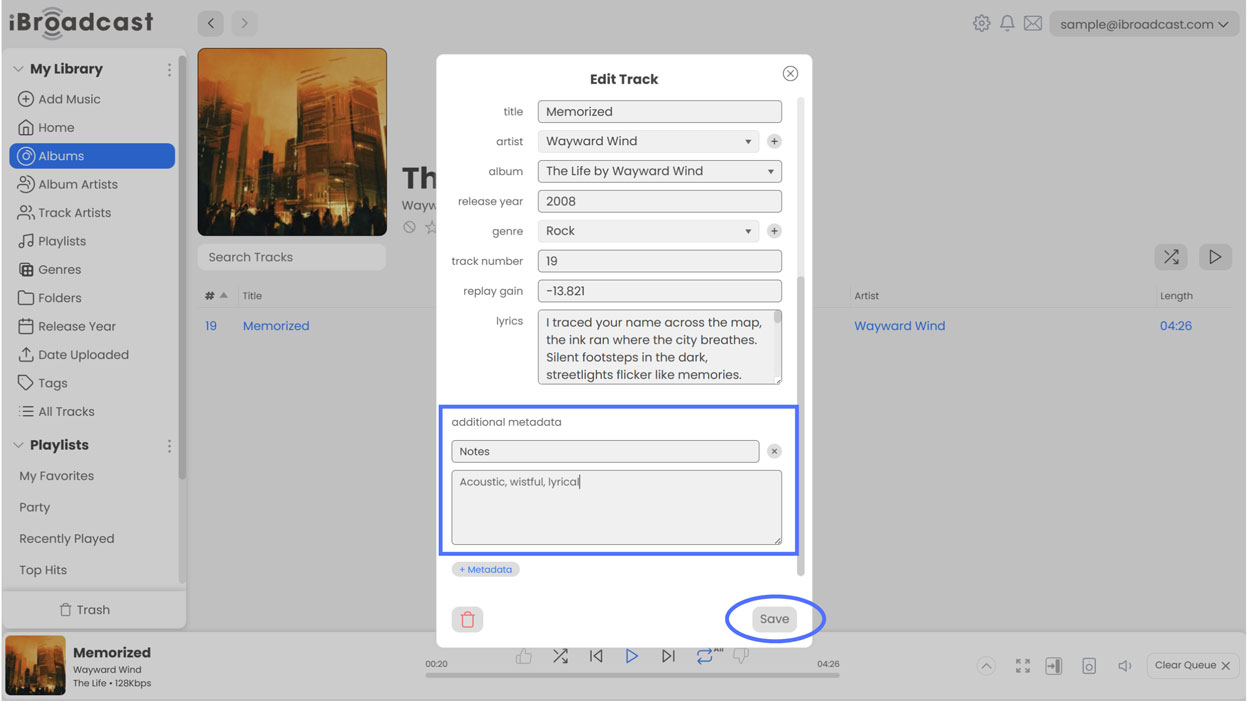
Custom metadata fields can be anything you want, and they only stay within your iBroadcast library — your original files won't be affected.
Lyrics and custom metadata will display on the web player’s full-screen mode (coming soon), and on the full-screen player of the mobile app beginning in version 9.1, which is now live! For more details, see our article below on the iOS/Android 9.1 update.