May 30, 2024
We've made some updates to the web player to make tracks and albums in your library even more customizable, including adding support for additional artists and genres. To add and edit additional artists and genres to a track, go to All Tracks, right click the track you’d like to edit, and select "Edit Track". You can then click the "+" sign next to artist and genre to add additional fields.
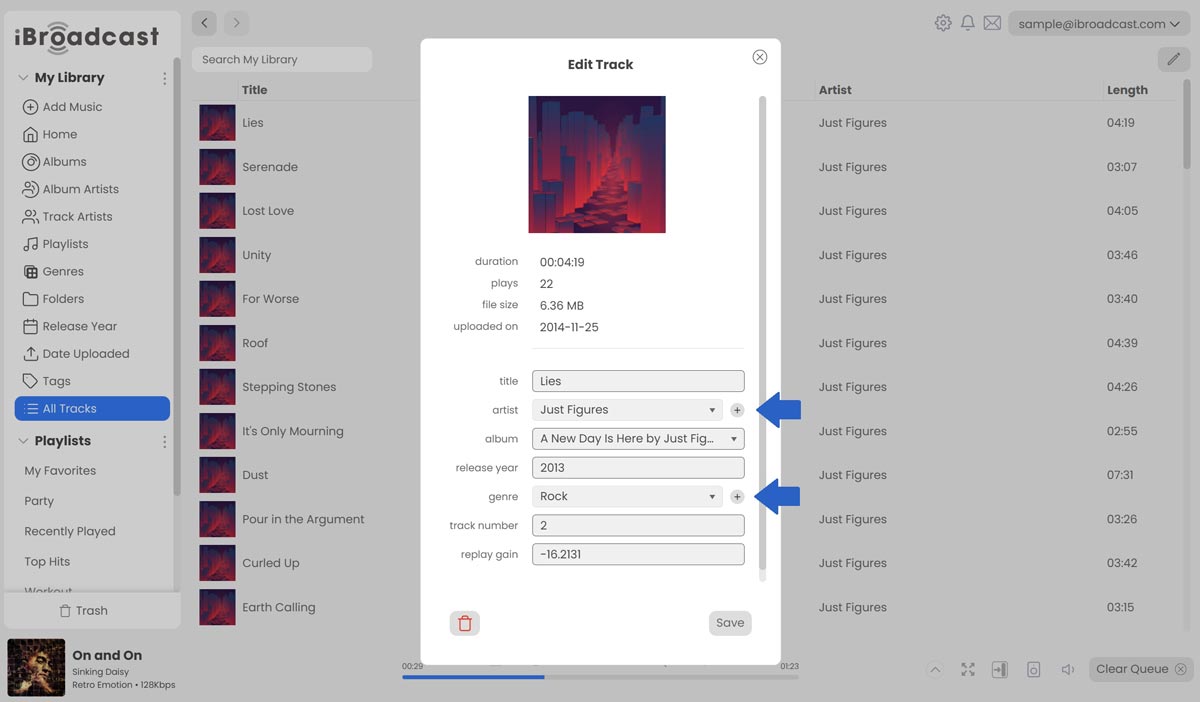
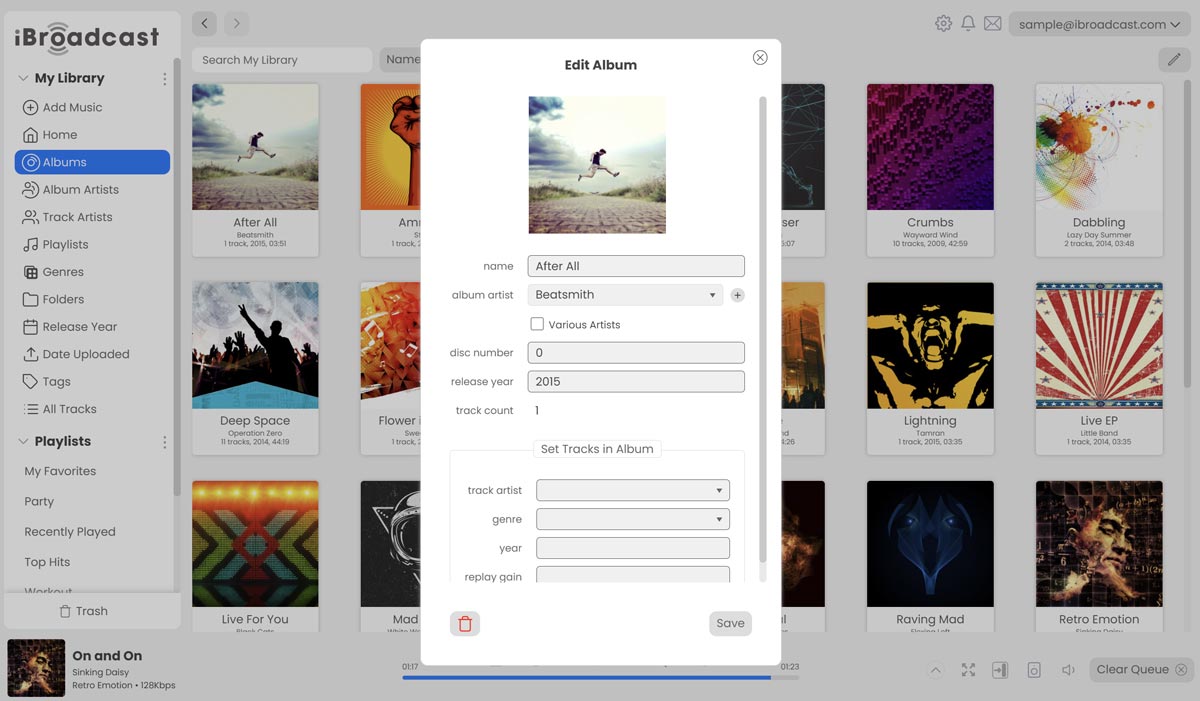
Similarly, additional genres for albums can be managed by right clicking an album, selecting "Edit Album", and clicking the plus sign to add additional genres. Search results will also now include results that match the additional artist and genre fields.
To separate multiple genres using id3tag fields, simply split them using either "l , / , \ , or |" characters. To separate multiple artists, split them using the ";" character. The "composer" id3 field is added as an additional artist of type "Composer".
Last but not least, Artist Artwork can now be edited by right clicking on an artist.
Full release notes are below:
- Added column section to include when exporting your library as a CSV
- Added Album dropdown in the Edit Track dialog
- Added support for additional artists on tracks and albums
- Added support for additional genres on tracks
- Added support for editing artist artwork (right click an artist)
- Added the Format track column, indicating the original file's format