September 29, 2026

We’re pleased to announce that iBroadcast is now available in over 30 languages! Plus, we’ve made some major upgrades to the Track Dashboard to make it easier to fix missing metadata, identify upload issues, and keep your library in order. 

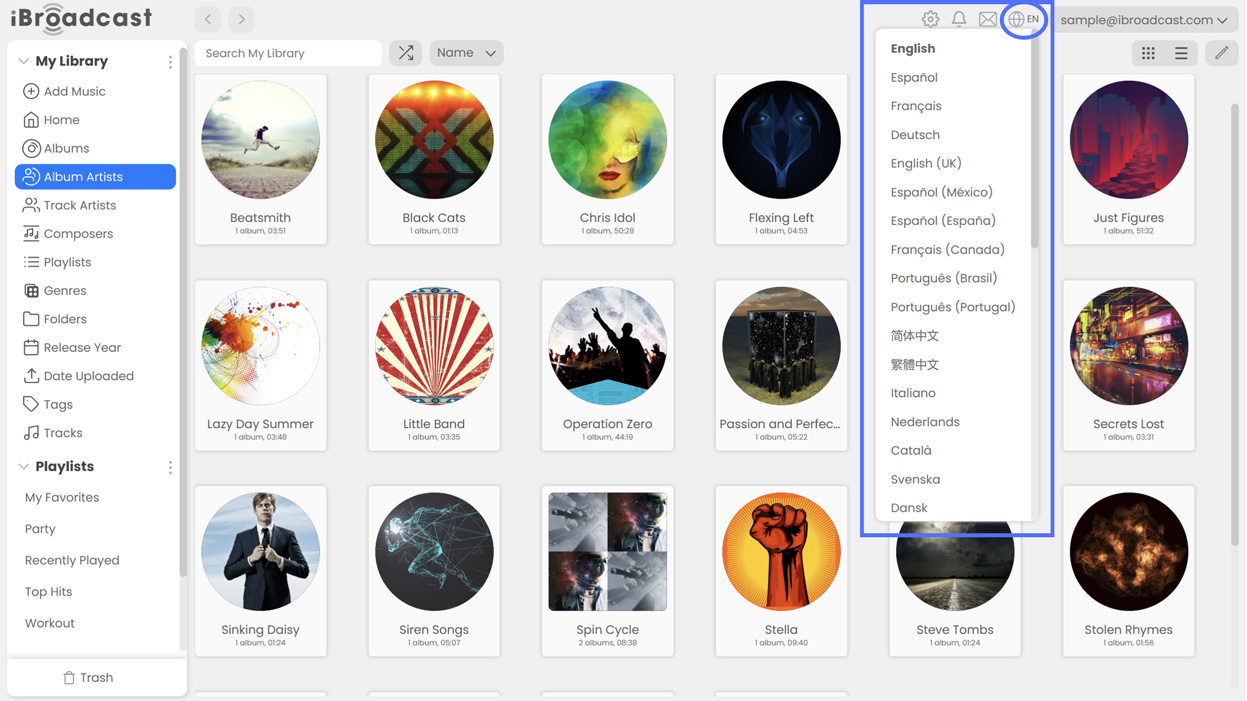
1. Language Localization. You can now choose from more than 30 languages on the iBroadcast web player! To switch languages, click the globe icon near the top right corner and choose your language from the list. We’re launching language localization on the web player first, with the apps soon to follow. If you spot any translation errors, please contact support to let us know. We hope that this update helps bring iBroadcast to an even wider audience! 
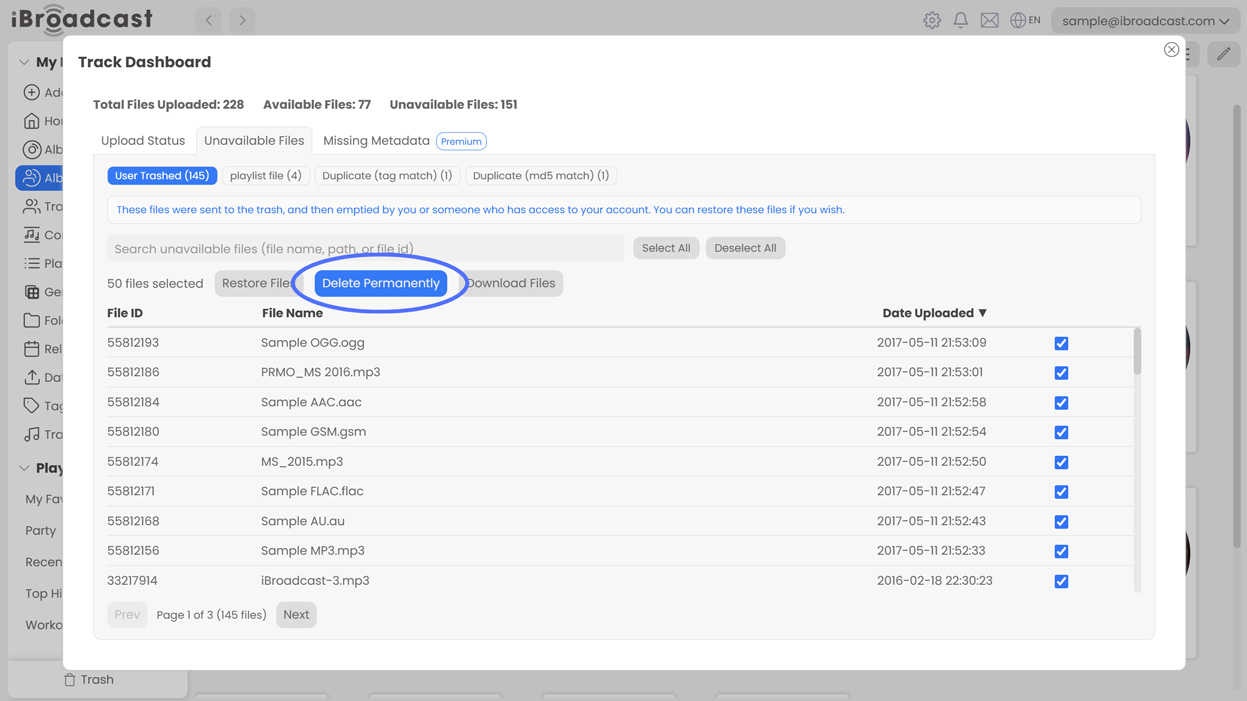
2. Permanently Delete Files. You can now permanently delete old or unwanted files from the Track Dashboard. By default, deleted tracks will still remain recoverable and duplicate or errored files will still be visible for record-keeping purposes. However, you can now delete these files if you’d prefer to clear them from the Track Dashboard entirely!
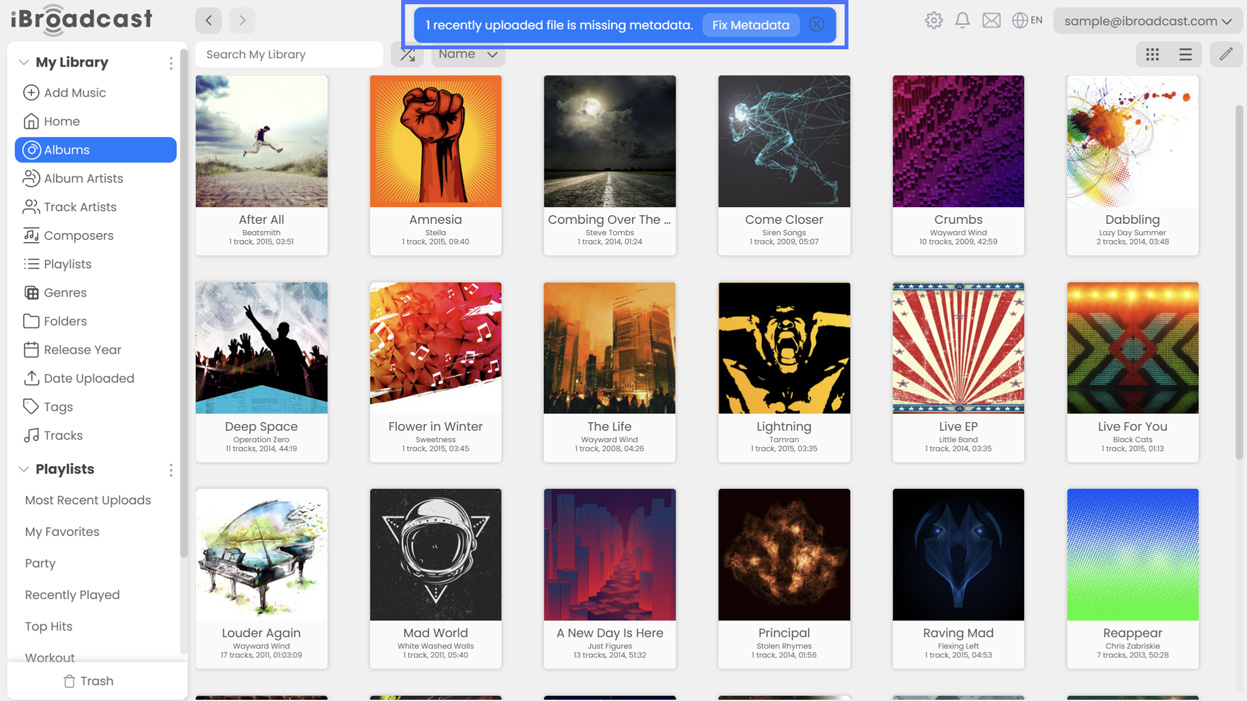
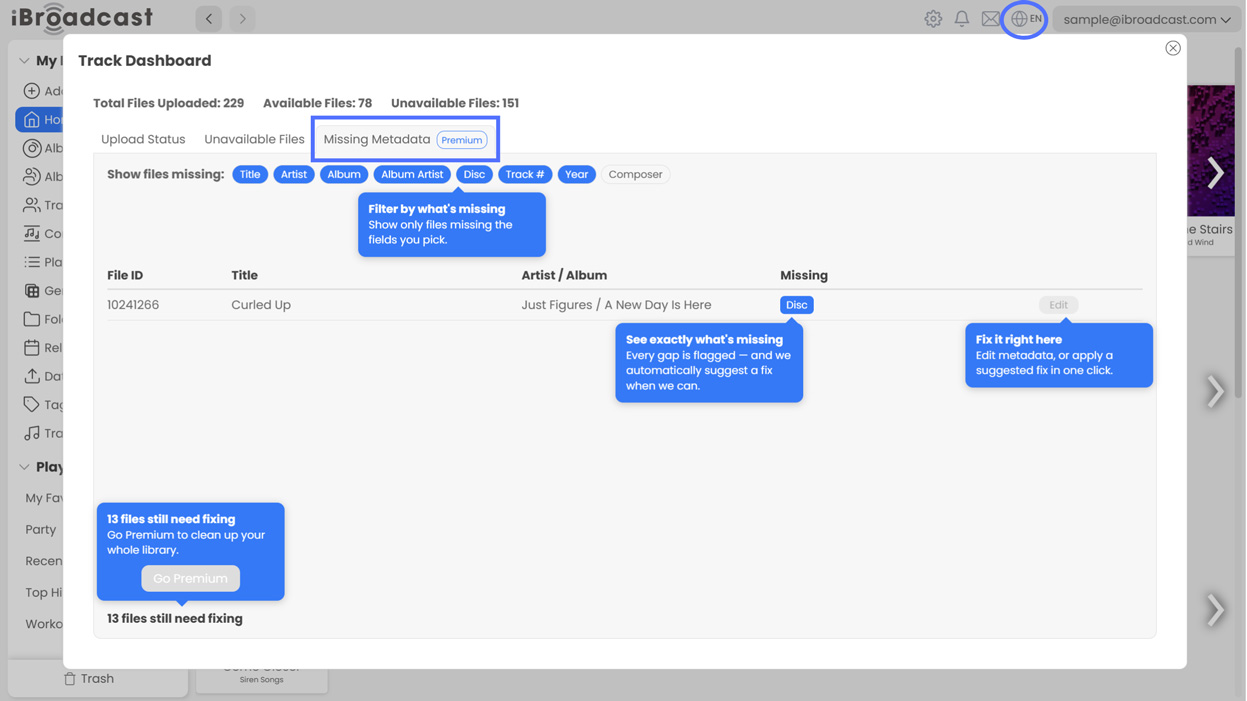
3. Missing Metadata and Suggested Fixes (Premium). Premium members can now find and correct missing metadata directly from the Track Dashboard! When a file with missing metadata is uploaded, a banner will point you to the Missing Metadata tab, where you can edit it directly or choose from our suggested fixes. Our goal is to make it easier to identify and fix missing metadata before it causes a headache in your library.
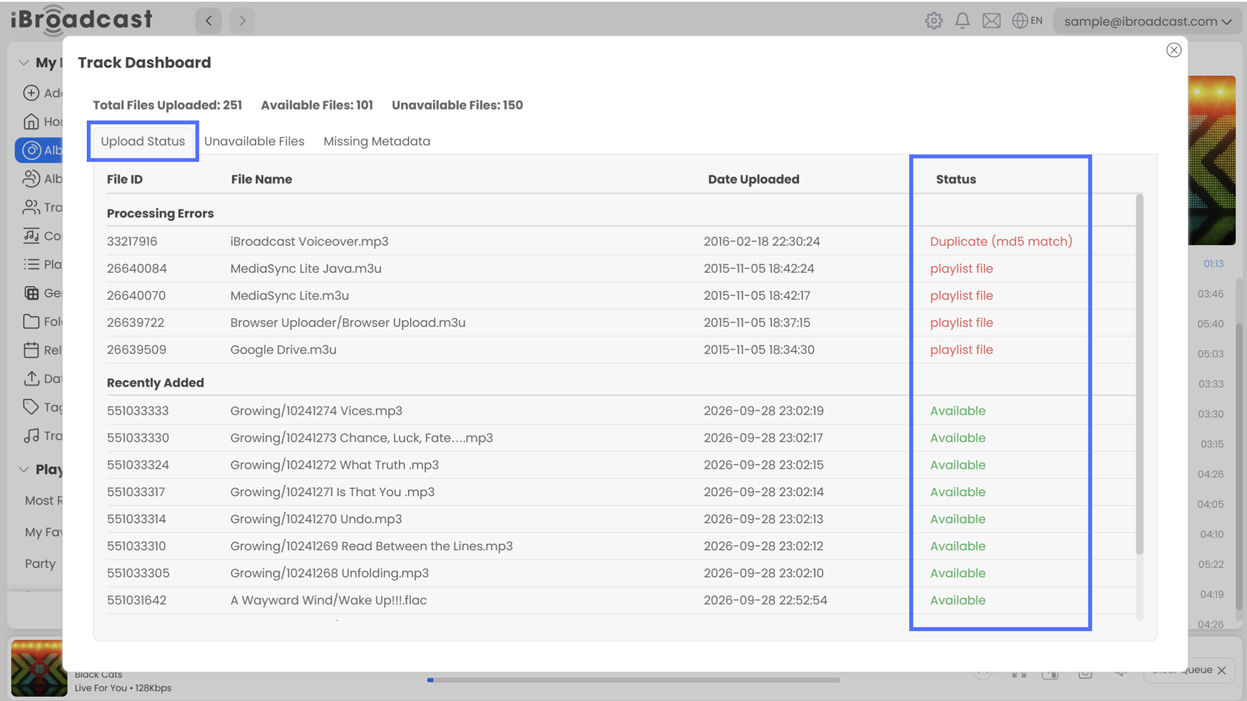
4. Upload Status. A new Upload Status tab makes it easier to see when something goes wrong during upload processing. If a file encounters a processing error or is identified as a duplicate, a notification banner will point you to the tab, where you can see which files are unavailable and why. This info was already available, but these changes make it easier to find so that you’re never left wondering why something doesn’t appear in your library. 
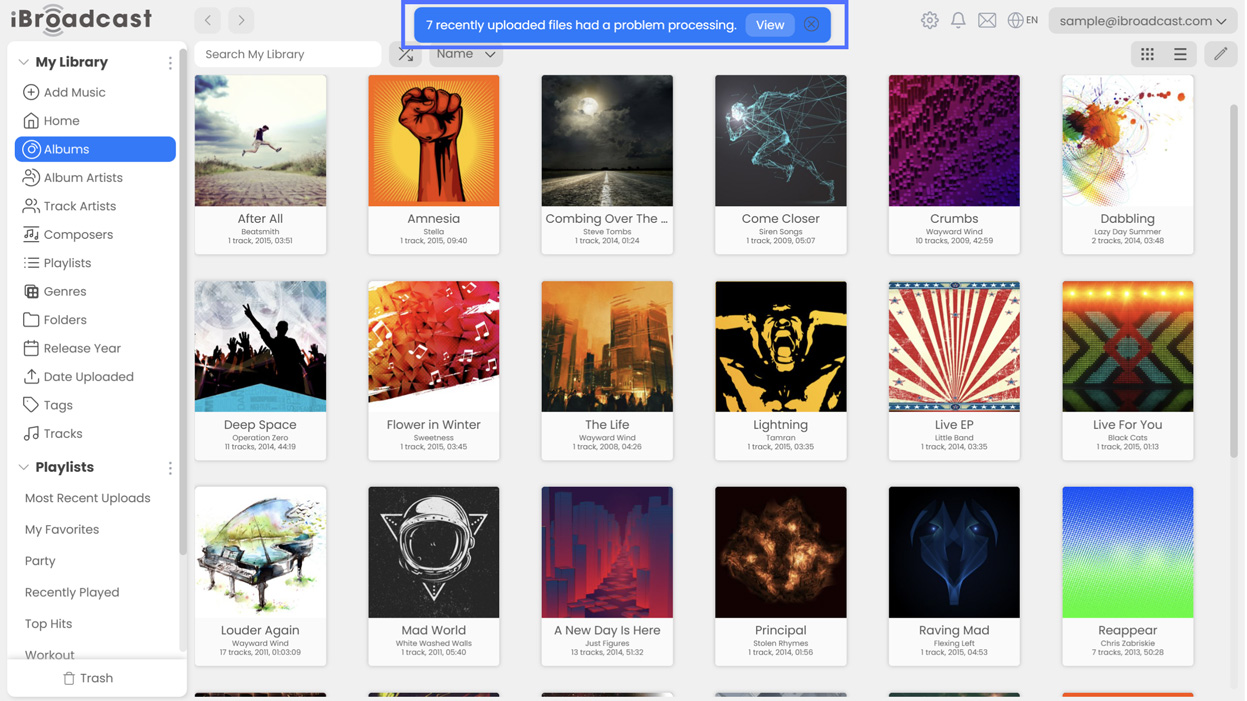
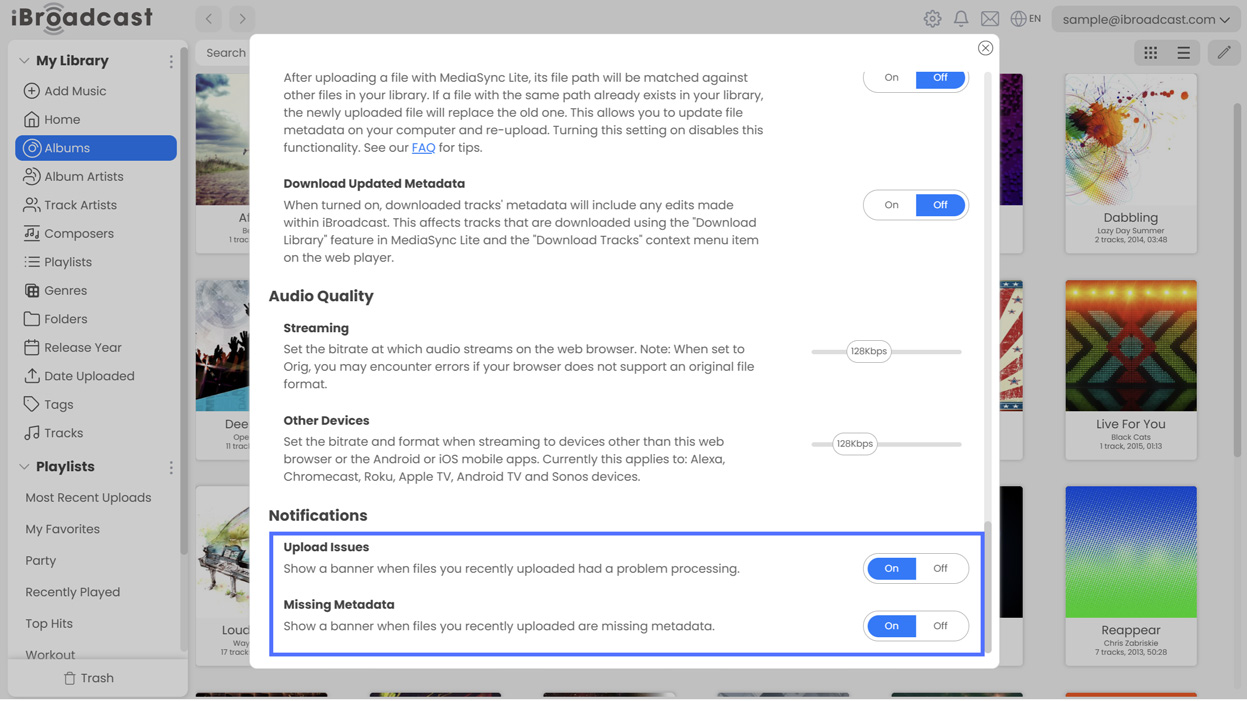
If you would prefer not to see the Missing Metadata or Processing Issue Notifications, you can turn them off under Settings > Notifications on the web player. 
We hope you enjoy these improvements, and we look forward to your feedback!

Full release notes are below:

  • Additional language support
  • Added a tab to see and correct missing metadata to the Track Dashboard (Premium)
  • Added a tab to see upload processing status to the Track Dashboard
  • Added notifications when an issue is encountered during upload processing
  • Fixed an issue displaying play counts
  • Fixed an issue that could cause tile view to cut off some items at the bottom
  • Fixed an issue that could cause the player to display the previous track while playing
August 12, 2026

We’ve made some updates to the web player!

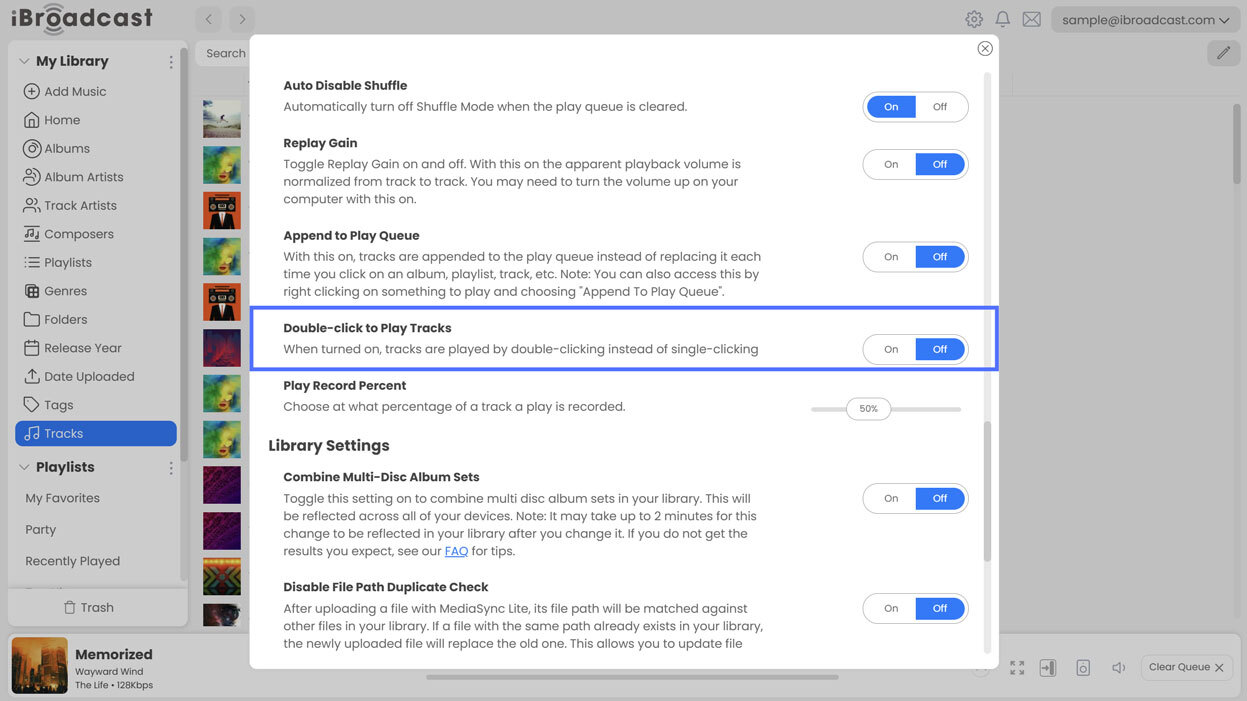
1. Double-click to Play Tracks. In response to user feedback, we’ve added a new setting that lets you choose between single-click and double-click to play tracks. Previously, tracks would play with a single click, and some users found it too easy to accidentally play a track when they intended to only select it. To adjust it, go to Settings > Playback > Double-click to Play Tracks. For existing users, the setting will default to “Off” to retain the single-click behavior you’re used to, but you can turn it on if you prefer double-click playback. New users will have double-click playback enabled by default in a future update.

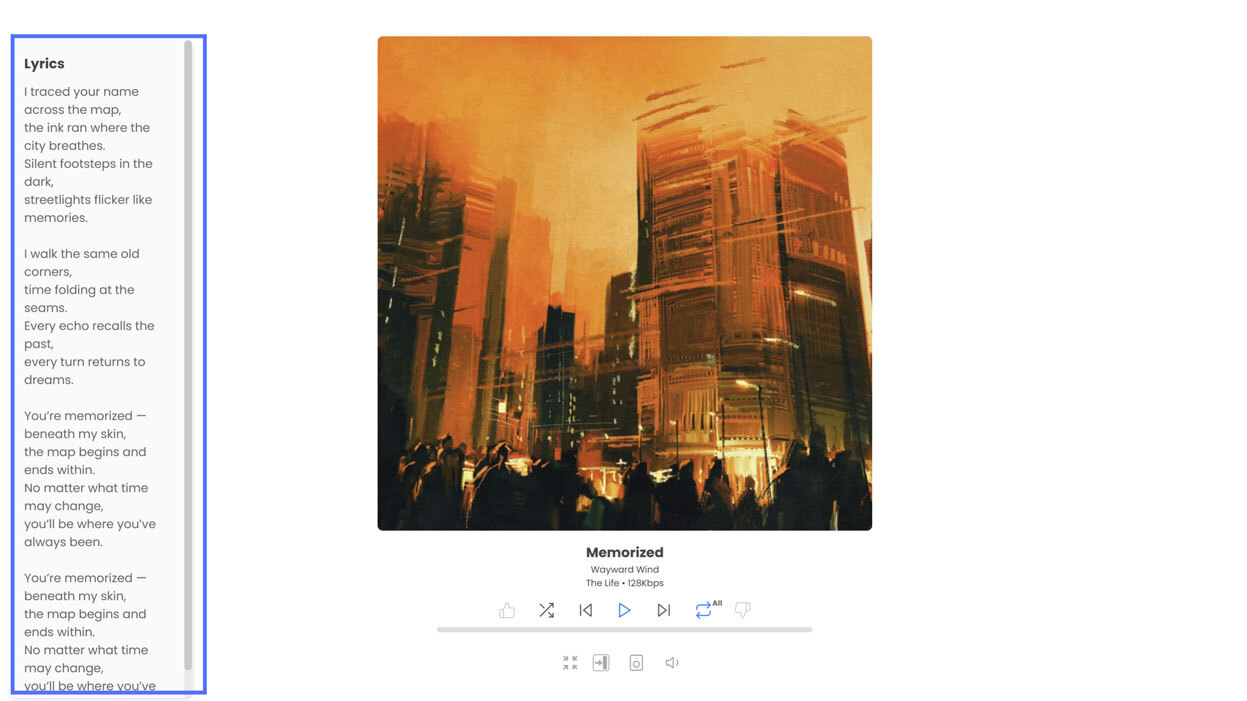
2. Lyrics added to the full screen player (Premium). Lyrics now display in the web player’s full screen player, like they do on the mobile app. Premium users can view lyrics on the left side of the full screen player when they are assigned to a track, whether they were manually added or included in the track’s metadata. To open the full screen player, click the four arrows at the bottom of the mini player to expand it.

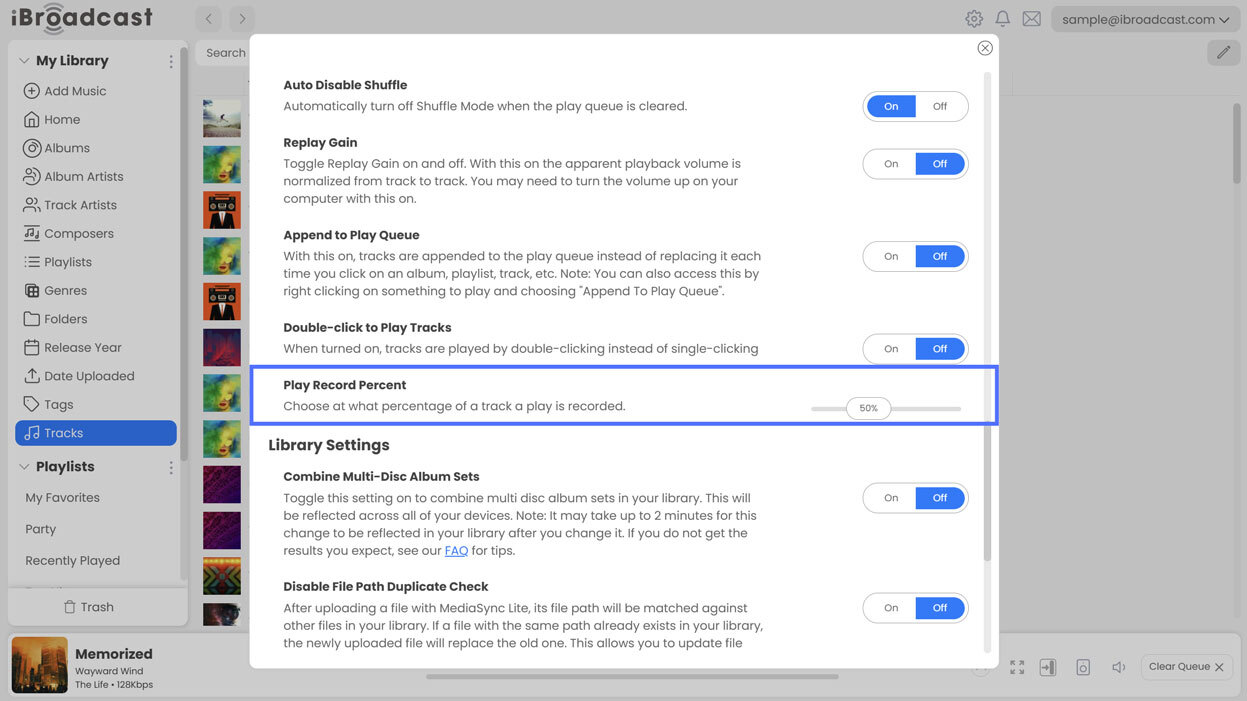
3. Ability to change play record percentage. We added a setting that allows you to choose at what percentage of a track a play is recorded. Previously, iBroadcast would automatically record a "play" at 10 seconds through. Now, you can choose whether a play is counted at 25% 50%, 75%, or 100% complete by adjusting the slider in Settings > Playback > Play Record Percent. The mobile app already has this capability. Play record percent also determines at what point in playback iBroadcast reports a play to integrated services like Last.fm. 

4. News & Updates will display when there is a new article. This and future updates will appear as a message when you next open the web player, helping you stay up to date with changes and new features. These posts will be reserved for major updates, new numbered versions (such as iOS/Android version 9.4), and new features. Minor patches and other smaller updates will continue to be documented in the Android and iOS version history and the web player’s site changelog. 

Full release notes are below:

  • Added “Double-click to Play Tracks” setting
  • Lyrics are shown in the full screen player if any are assigned to a track
  • Added "Play Record Percent" slider in settings
  • News & Updates display when there is a new article

July 31, 2026

Version 9.4 of the iBroadcast Android app is live, joining iOS, which was released earlier!

Highlights of this update include a new search-by-tag feature and major improvements to our player that expand support for original audio formats.

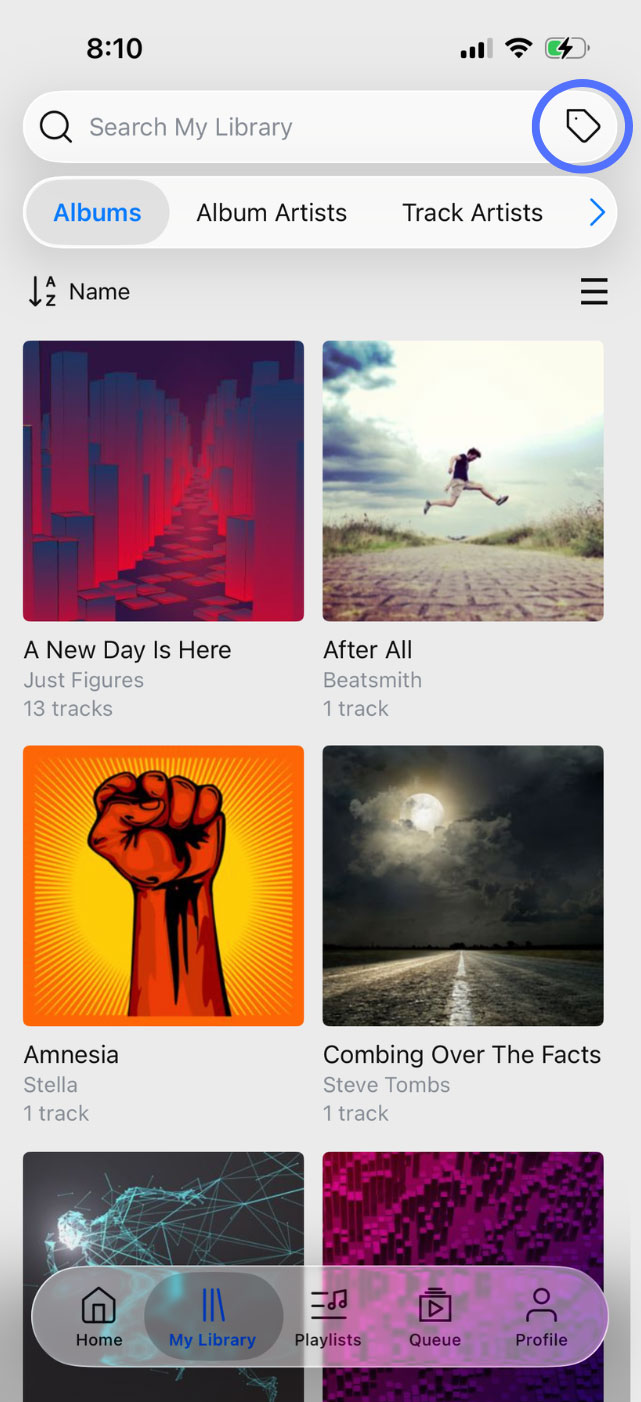
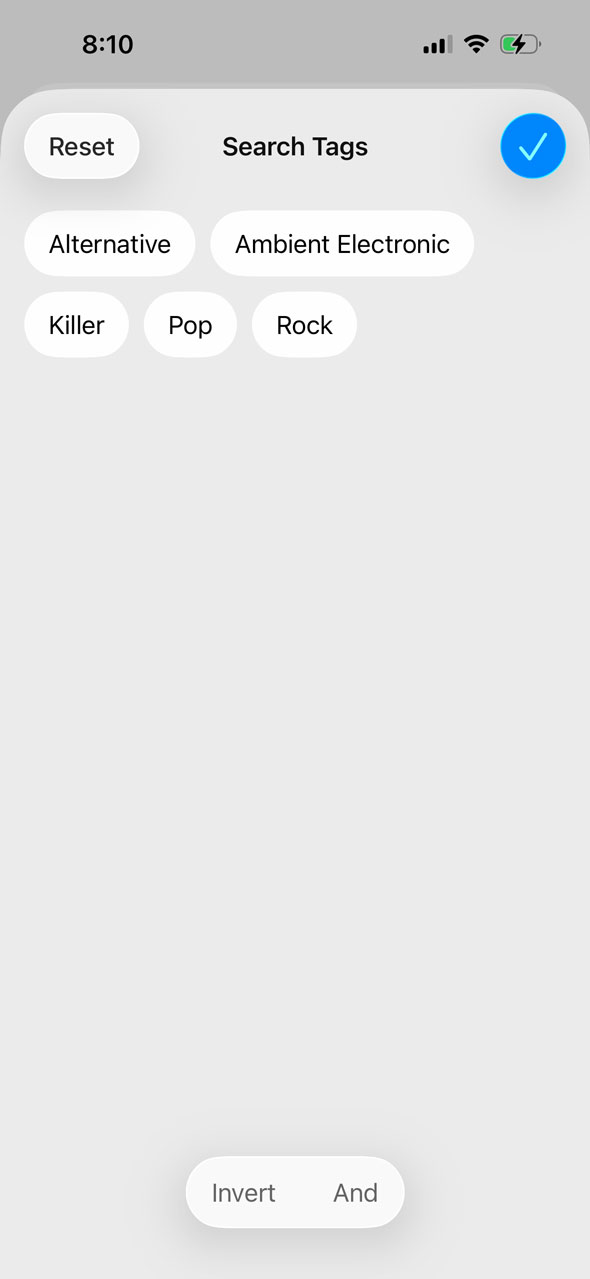
We’ve added a Search Tags button to the right side of the search bar in the app. Tapping it opens your tags list, where you can select one or more tags to search only tracks with that tag. By default, selecting multiple will return results matching any of the tags. The “And” and “Invert” modes at the bottom can be toggled to return results matching all of the selected tags, or invert the result set to tracks that do not match.

Previously, the only way to use tags on the app was to browse by name in the Tags section of your library; there wasn’t a way to limit search results to a tag’s contents. This update makes tags more useful on mobile and brings their functionality closer to the advanced tag features of the web player.

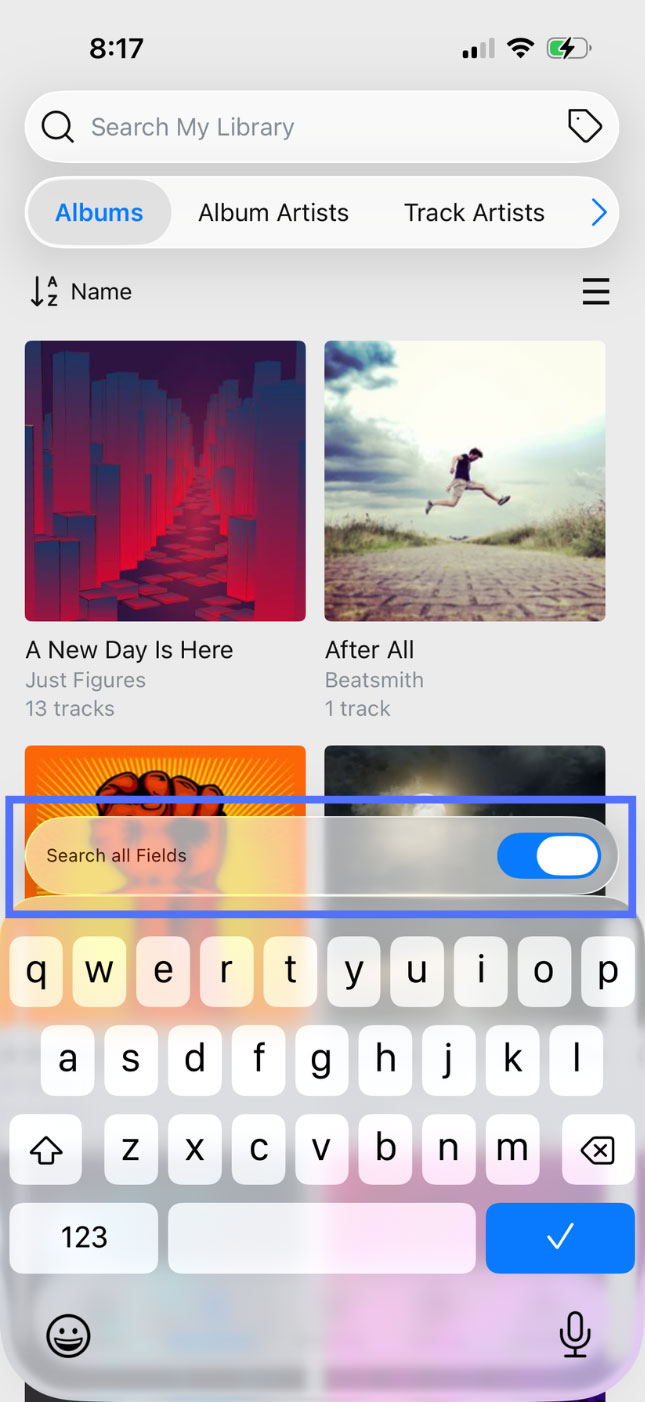
Additionally, we’ve moved the “Search All Fields” toggle above the keyboard while searching for better visibility. Tapping on the search bar will bring it into view. When “Search All Fields” is off, search results will only include matches from the library page you’re currently viewing (such as Albums). When enabled, searches will be expanded to include any metadata field, such as Album, Artist, Genre, Date Uploaded, and more.

The second big-ticket item in this update is a series of major under-the-hood improvements to our player that should improve overall performance as well as expand playback in original quality to even more file formats for Premium members. Previously, some original files had to be converted to other formats due to player limitations. With these improvements, any file format that your mobile device natively supports should be playable in original quality. Please note that original quality playback is limited to mono or stereo audio files. Multi-channel audio files, such as Dolby Atmos, will still play as stereo audio. Playback on other devices, such as Chromecast, may also have limitations based on their own format support.

We hope you enjoy these updates, and we welcome your feedback!

Full release notes are below:

  • Added Search Tags button to the search bar
  • Moved Search All Fields above the keyboard when searching
  • Improved support for original audio formats
  • Fixed an issue resuming playback after interruptions, such as phone calls, navigation, or Siri
  • Bug fixes

iOS Only

  • Fixed an issue causing the lock screen player to show the pause button when already paused

Android Only

  • Playback no longer starts automatically after connecting to Bluetooth
  • Improved recovery and resuming when downloading tracks
  • Fixed an issue preventing the screen from staying awake while in driving mode
  • Fixed an issue causing songs to restart after loading in Automatic quality
  • Fixed an issue setting replay gain
  • Fixed an issue updating playlist search results

May 28, 2026

Earlier this month, we updated the web player with several improvements related to Additional Artists and Composers. With version 9.3, many of those same changes are now available in the app as well, along with new options for customizing your library experience!

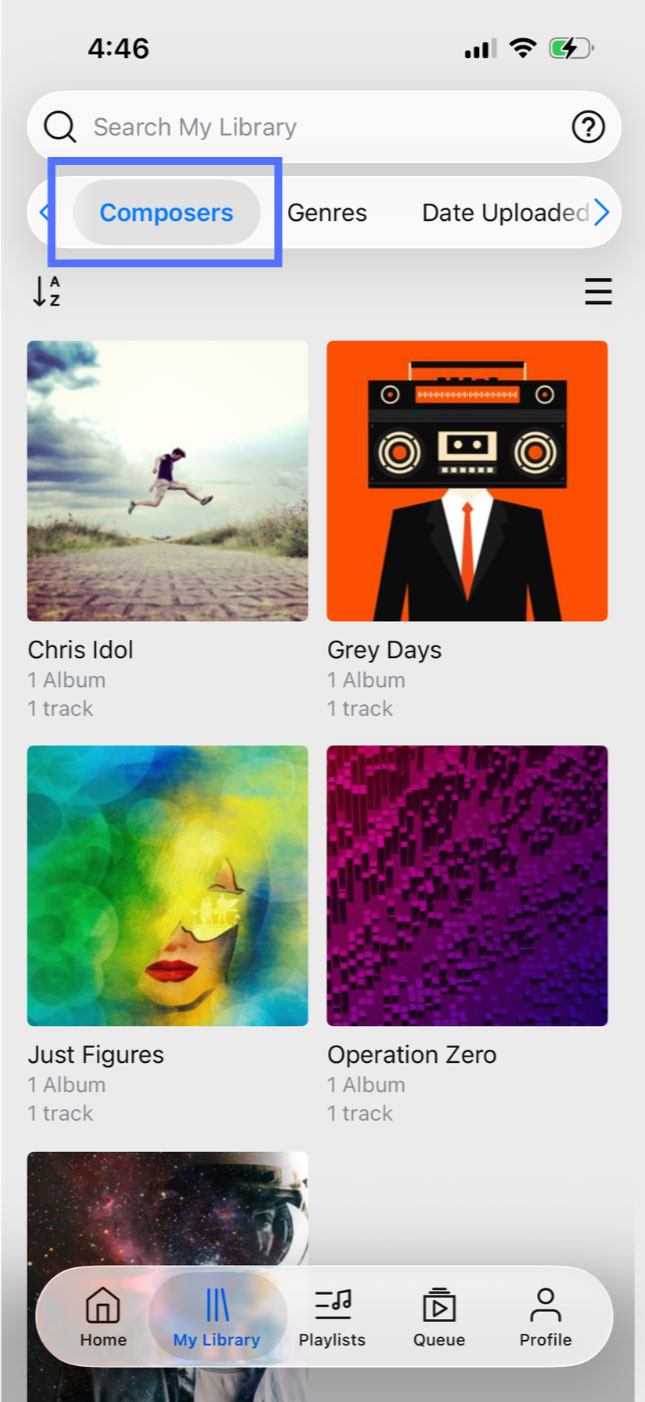
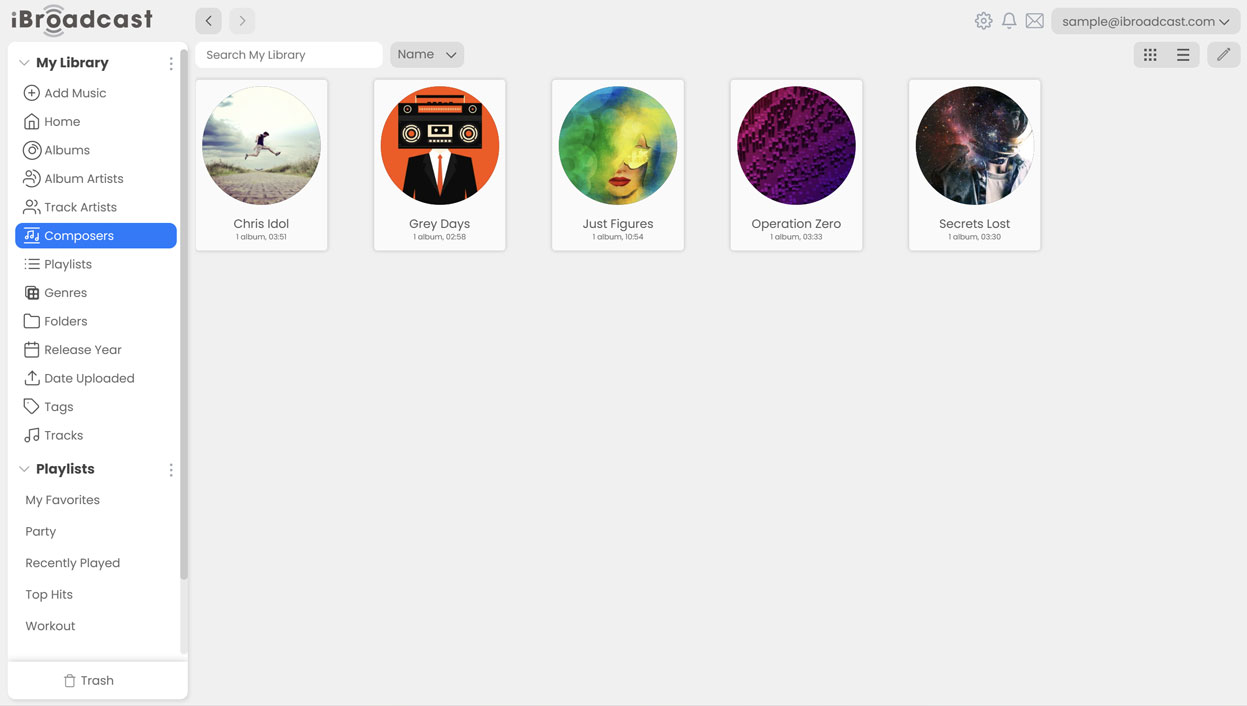
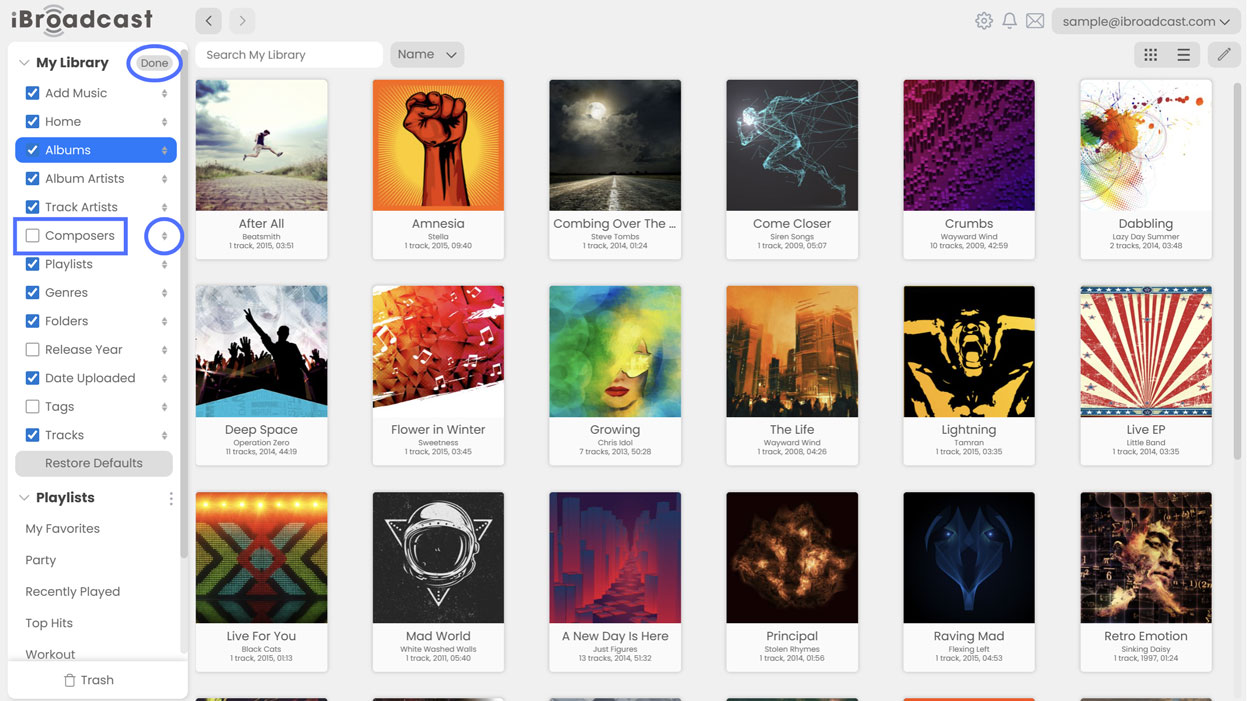
1. New Composers library page. By popular demand, composers now have their own dedicated page in the Library tab. Previously, composers appeared alongside other additional artist types within Track Artists and Album Artists, which could make browsing more difficult for users who organize their collections heavily around composer metadata. The new Composers page makes it easier to browse music by composer while keeping artist pages cleaner and more focused. You can also hide the Composers page if desired — more on this below!

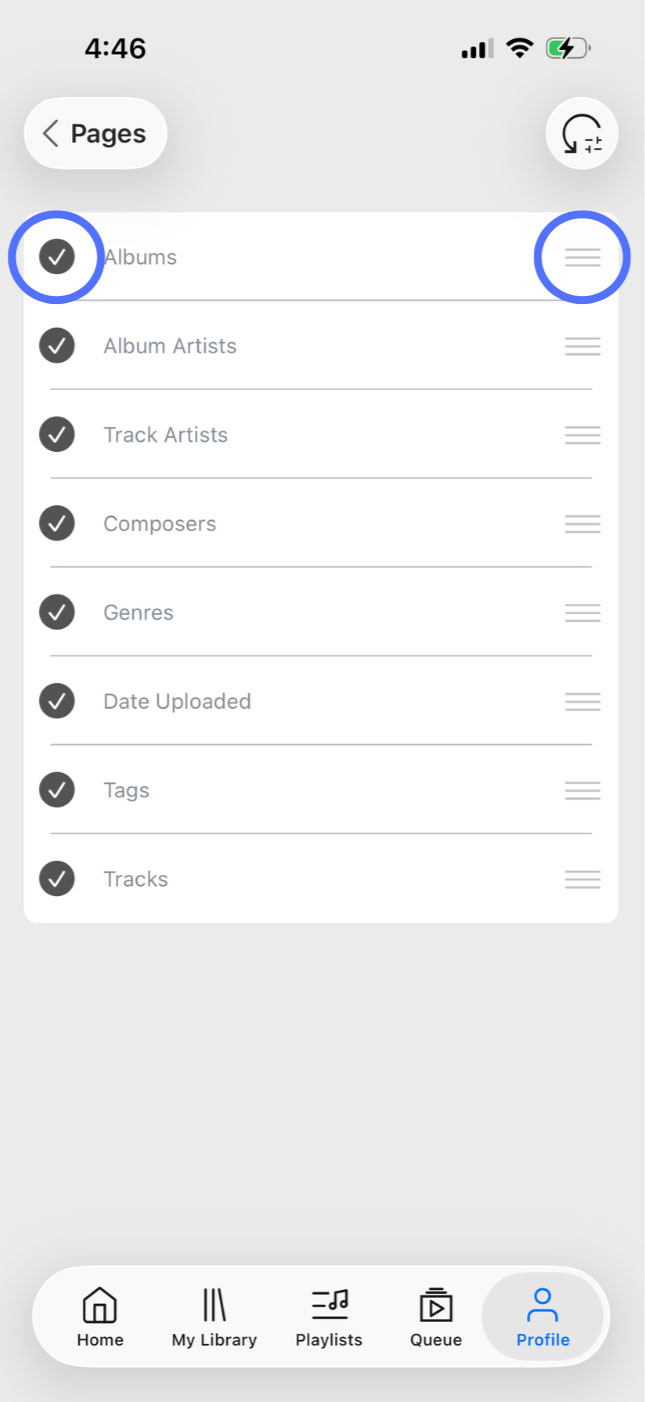
2. Library pages are now configurable under Settings > Library > Pages. You can now rearrange their order within the Library tab, or hide pages you don’t use entirely!

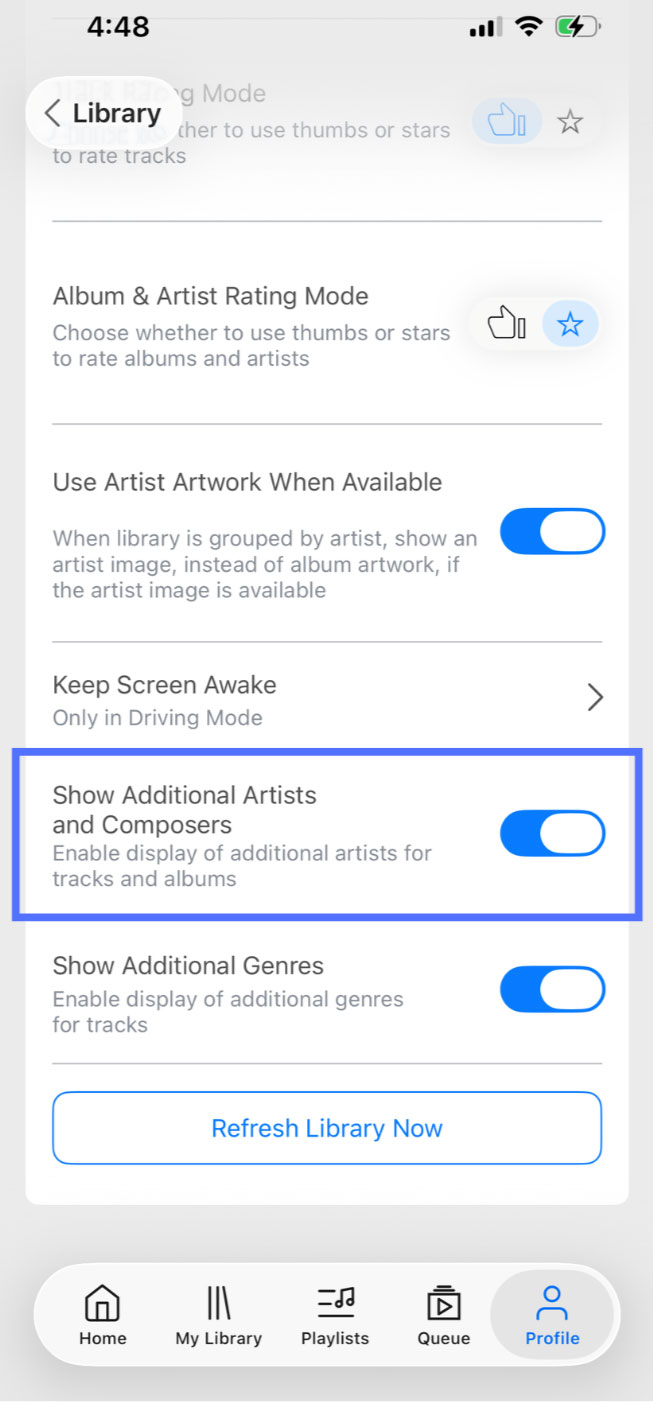
3. The “Show Additional Artists and Composers” setting now shows/hides those artists across the entire library. Previously, this setting only applied to track listings, but additional artists could still appear on Track Artists and Album Artists pages. With this update, turning it off will fully hide additional artists and composers across the app, including in searches. You can find this setting under Profile > Library. Please note that disabling this setting will automatically hide the Composers library page. If you want to hide the Composers page while keeping additional artists enabled, you can do this through the library page configuration settings.

4. Secondary main artists are no longer considered additional artists. Some tracks may have more than one main artist, and based on your feedback, these artists will now continue appearing normally even when additional artists are hidden. In general, any standard “artist” type that is not otherwise specifically labeled will continue to be treated as a primary artist rather than an additional one.

5. Bug fixes and stability improvements.

The goal of these changes is to make browsing your library more customizable while improving how additional artists and composers are represented throughout the app. As always, we appreciate your feedback, and we hope you enjoy the update!

Full release notes are below:

  • Additional main artists are now correctly represented in track and album artists
  • Composers have been removed from track and album artists
  • Added a Composer library page
  • Library pages are now configurable (Settings > Library > Pages)
  • Bug fixes

May 5, 2026

Our latest update improves how Additional Artists and Composers are handled in the web player, along with several usability enhancements. Some settings have been moved or renamed — read on for more details!

1. Composers as a library page. “Composers” can now be added as a top-level library page on the web player, like Genres, Albums, and more. This was a frequently-requested feature, especially for classical music-lovers who prefer to browse their collection by composer. The Composers page is shown by default on the web player, but it can be hidden if desired (more on this below).

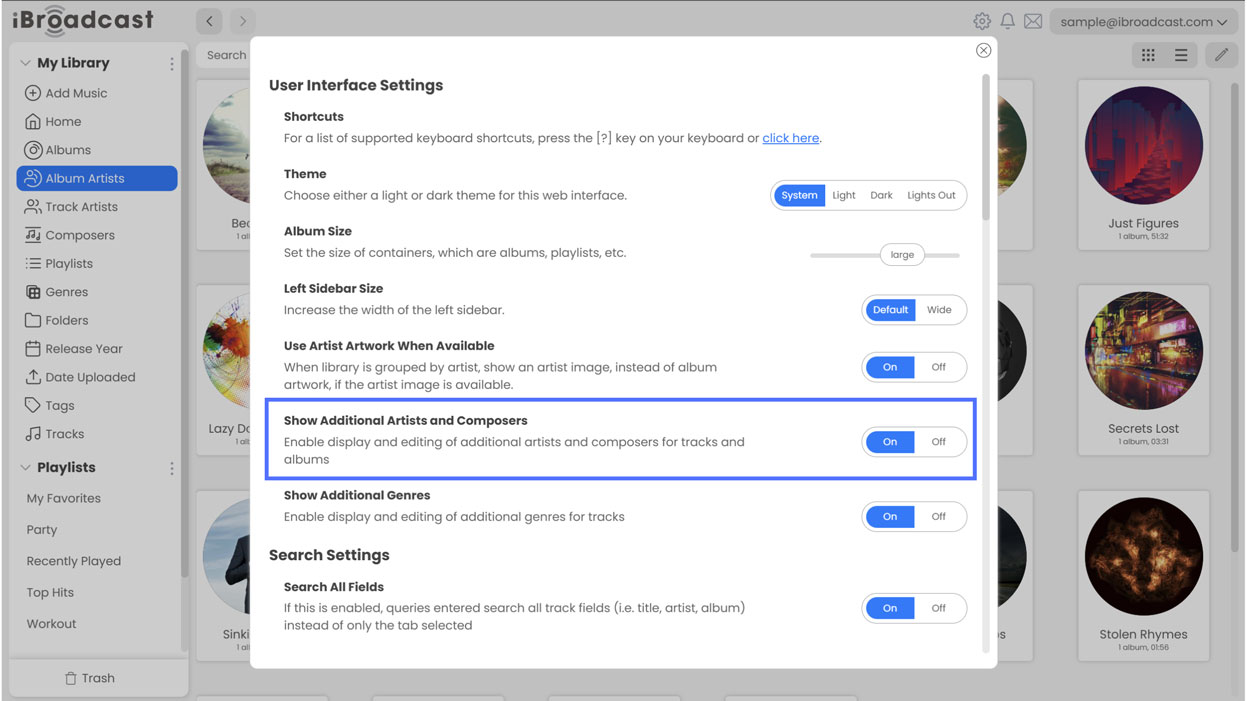
2. “Show Additional Artists and Composers” setting updates. The “Show Additional Artists” setting has been renamed to “Show Additional Artists and Composers” and now controls more than just track columns. Disabling it will hide the Composers page and remove additional artists from the Track Artists and Album Artists pages. This fixes an issue where additional artists would still appear even when the setting was turned off. Also, when enabled, additional artists and composers are included in “Search All Fields.” When disabled, those fields are excluded.

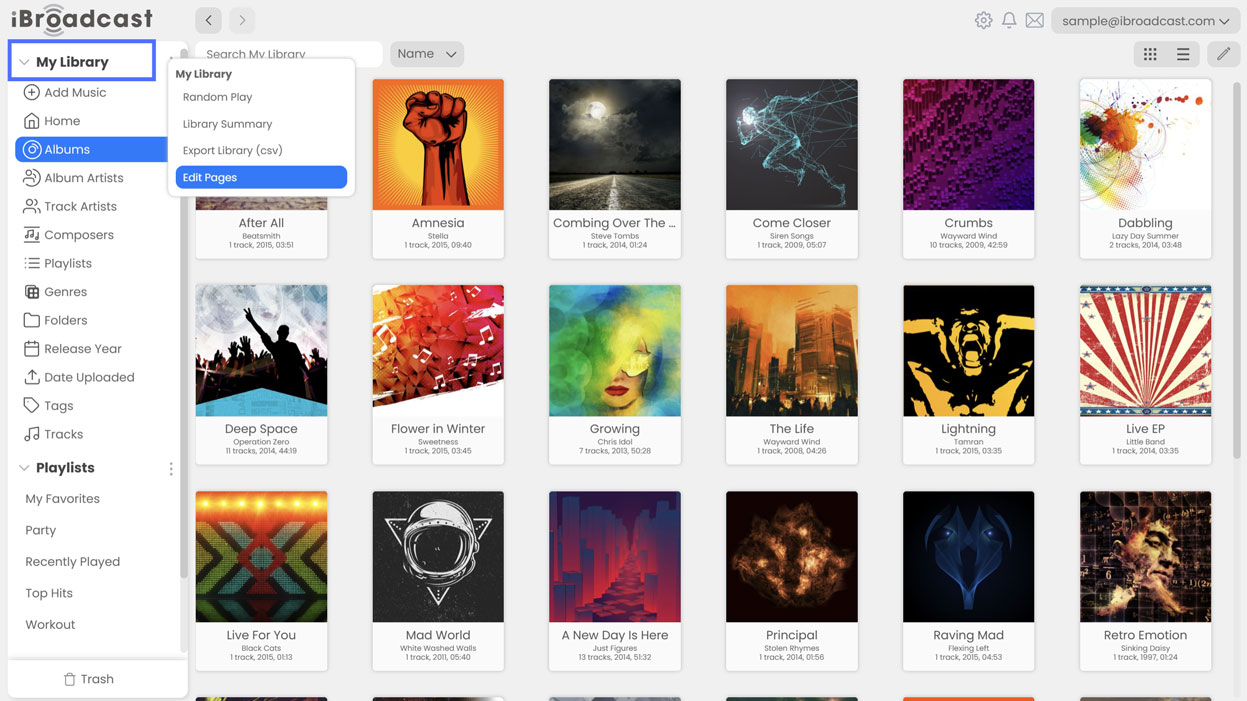
3. Hide or rearrange library pages. To hide pages or rearrange their order in the menu, click the 3 dots (...) next to “Library” and choose “Edit Pages”. From there, you can toggle visibility using the checkboxes, or use the arrows to move them upwards and downwards. Be sure to click “Done” to save changes.

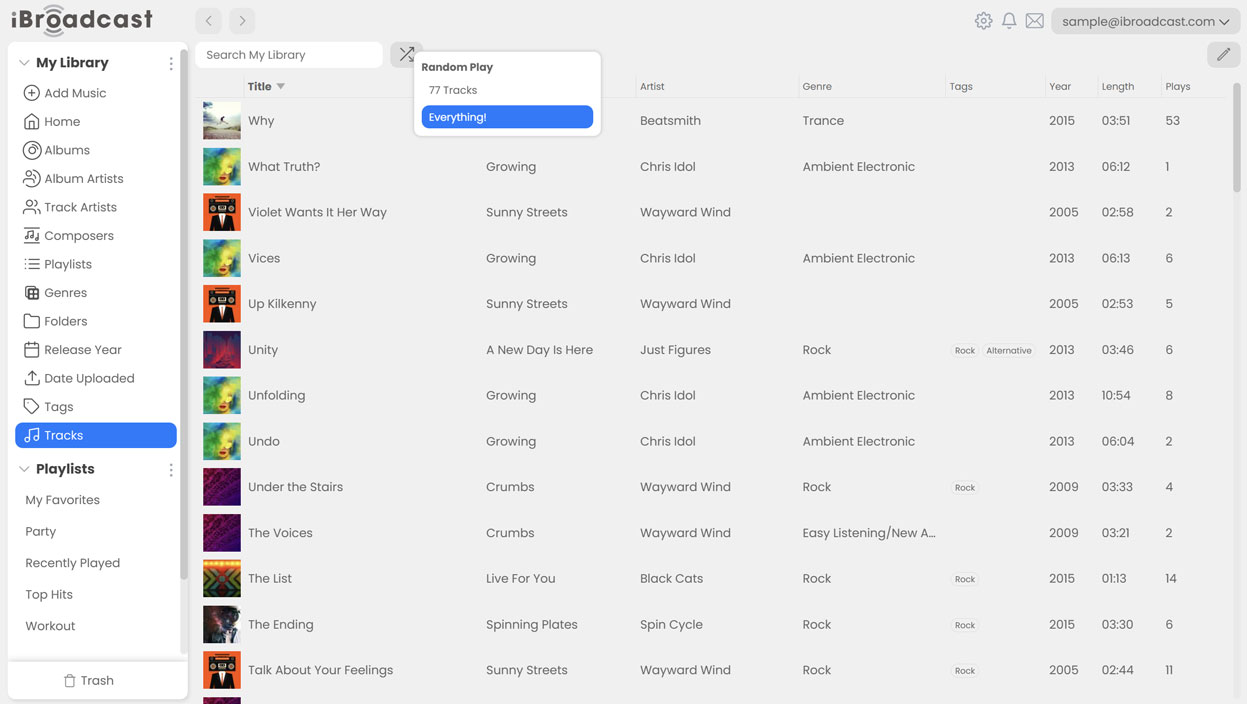
4. Random Play moved to a shuffle button on library pages. Random Play lets you shuffle 500 tracks, your entire library, or other categories such as albums or artists. Previously, Random Play was accessed from the three-dots menu (...) next to “My Library.” It’s now available via a shuffle button at the top of each library page next to the search bar, allowing you to shuffle the contents of each page directly. For example, on the Tracks page, select Shuffle to choose between “500 Tracks” and “Everything!” On the Albums page, Shuffle will play 10 random albums; on the Track Artists page, Shuffle will play the discography of 10 random artists, etc.

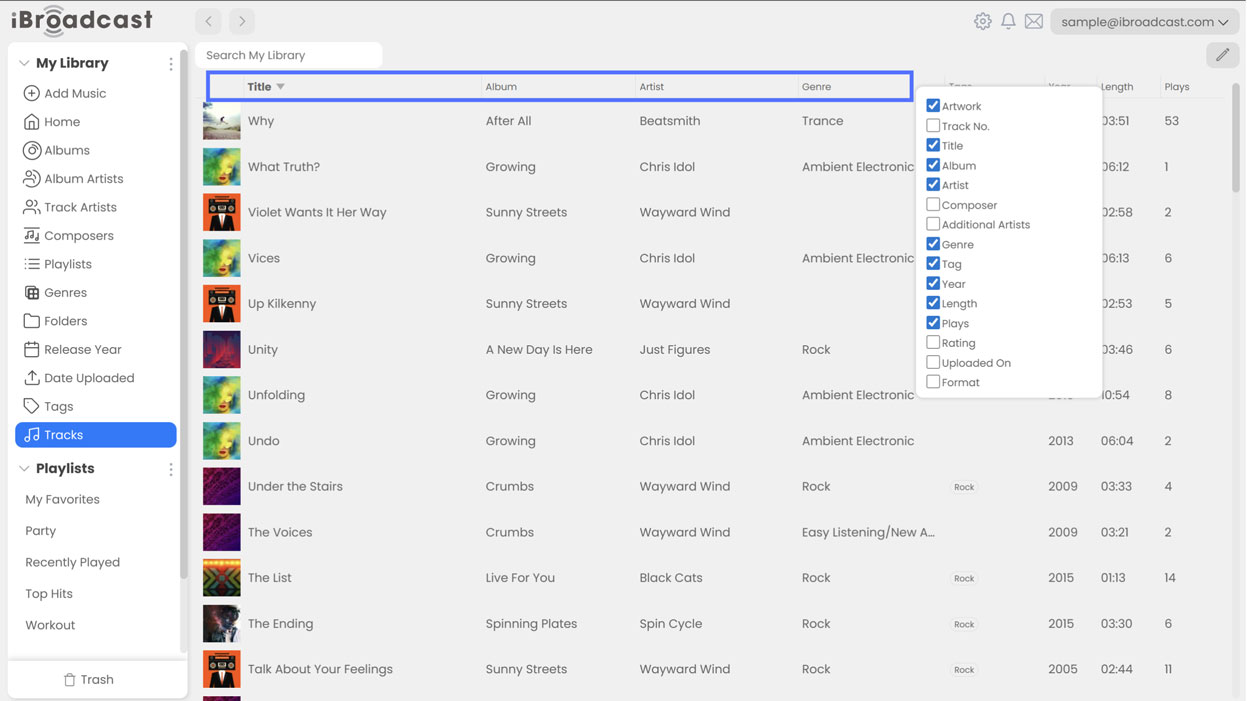
5. Right click column headers to control visibility. Previously, showing or hiding columns was controlled under Settings > Track Columns. Now, right clicking a column header in a list view (like “Tracks”) will display a list of headers that you can easily select and deselect. Track lists can also now scroll horizontally to support more columns without cutting off text.

The main goal of these changes is to make additional artists and composers more useful for those who want them, while remaining unobtrusive for those who don’t. As always, we hope you enjoy these updates, and please let us know what you think!

Full release notes are below:

  • Column headers in list views can now be right-clicked to toggle column visibility
  • Track lists can now scroll horizontally to support more columns without cutting off text
  • My Library Organization moved to (...) > Edit Pages
  • All Tracks renamed to Tracks
  • Show Additional Artists setting renamed to Show Additional Artists and Composers
  • Composers can now be added as a top level library page when Show Additional Artists and Composers is enabled
  • Random Play moved to a shuffle button on library pages
  • Additional artists are now correctly hidden in Track Artists when disabled
  • "Artist" type additional artists are now treated as main artists and not additional
  • Bug fixes

March 30, 2026

We’ve rolled out an update to the web player and apps! This release brings improved visibility for additional artists, better sorting and reordering of playlists, and fixes related to managing the play queue. It also includes a myriad of bug fixes across all platforms.

1. Additional artists now appear in Artist and Album Artist views. Composers, lyricists, and other additional artists are represented in the artist views. We’ve also fixed a bug on the web player that prevented newly-created additional artists from saving.

2. Queue and playback improvements. On the web player, issues with playing AAC files in original quality and trashing tracks in the queue have been resolved. In the iOS app, “Remove from Queue” has been added to the list of options when multiselecting tracks in the play queue for parity with the Android app.

3. Android-specific bug fixes. We added "Album Name" to the playlist sorting options for parity with the iOS app and fixed a bug affecting playlist reordering. We corrected an issue where incorrect track information was sometimes shown when resuming playback using bookmarks. A bug that replaced album, instead of artist, artwork when a new artist image was uploaded was also addressed.

Full Release Notes are below:

Web:

  • Additional track and album artists now appear in Artists and Album Artists views
  • Fixed an issue playing AAC files in original quality
  • Fixed an issue when trashing tracks in the queue
  • Fixed an issue saving additional album artists
  • Fixed an issue displaying additional genres

iOS/Android 9.2:

  • Improved support for additional artists and genres
  • Added additional artists to Artist and Album Artist views
  • Bug fixes

iOS Only

  • Added Remove from Queue to multiselect options in the play queue

Android Only

  • Added Album Name to playlist container sorting options
  • Fixed an issue removing tracks from playlist when using multiselect
  • Fixed an issue reordering playlists
  • Fixed an issue uploading artist artwork
  • Fixed an issue playing the wrong song and/or showing wrong information when using bookmarks